





Cart
Your shopping cart is empty
Continue Shopping
Every Order, Backed by HBADA
30-day in-home Trial
Free 2-Business-Day Shipping
5-Year Hassle-Free Warranty
24/7 Customer Support
Remove this item from your cart?
Cart
 Best HBADA Office Chair Deals for Halloween 2026: UK Buying Guide
HBADA / The Autumn Edit UK Halloween Sale · 26–31 October
A little spooky.A lot more comfortable.
Your desk deserves more than a seasonal decoration. This Halloween, find an ergonomic office chair that fits the way you work, pause and settle into the day.
Explore our Halloween offers →
The best deal starts with the right fit—not simply the biggest discount.
Your UK buying guide
A chair can look right in a photograph and still feel wrong at your desk. Start with your workspace, then choose your offer.
Think about what you would change about your current seat: where your lower back meets the backrest, how your arms reach the keyboard, or whether you can relax comfortably during a break. Those details make a more useful shortlist than price alone.
Inside this edit 01 / Halloween offers and codes 02 / Selected chair prices 03 / Find your chair 04 / Before you order 05 / Your questions, answered
01 / The Halloween offers
Two codes worth keeping.
Our UK Halloween campaign runs from 26–31 October. Match each code to its eligible model and configuration.
£15EXTRA OFF
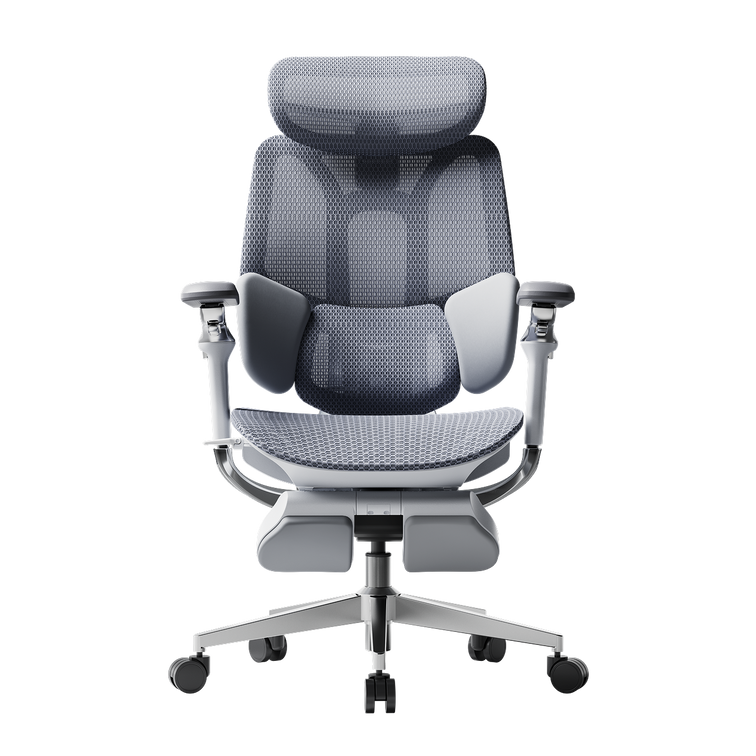
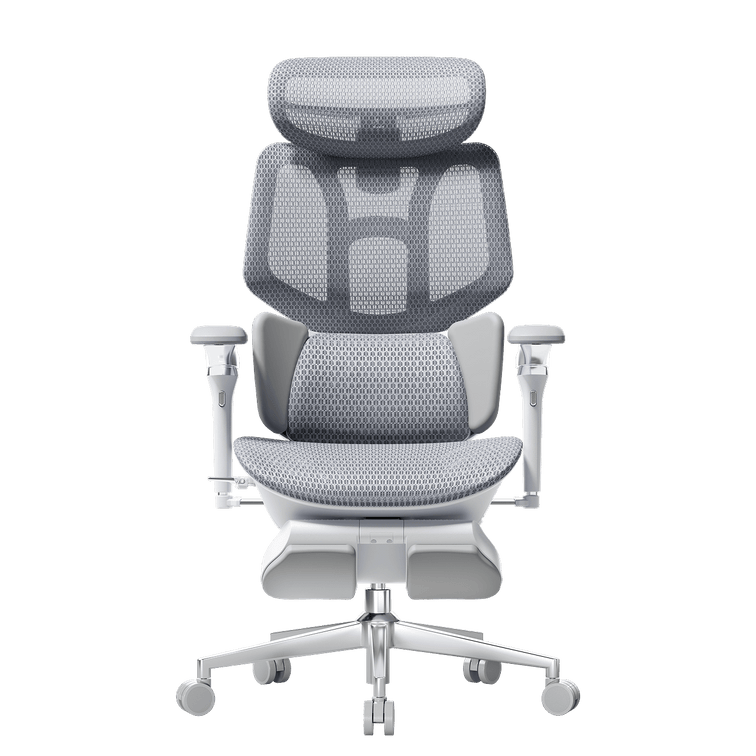
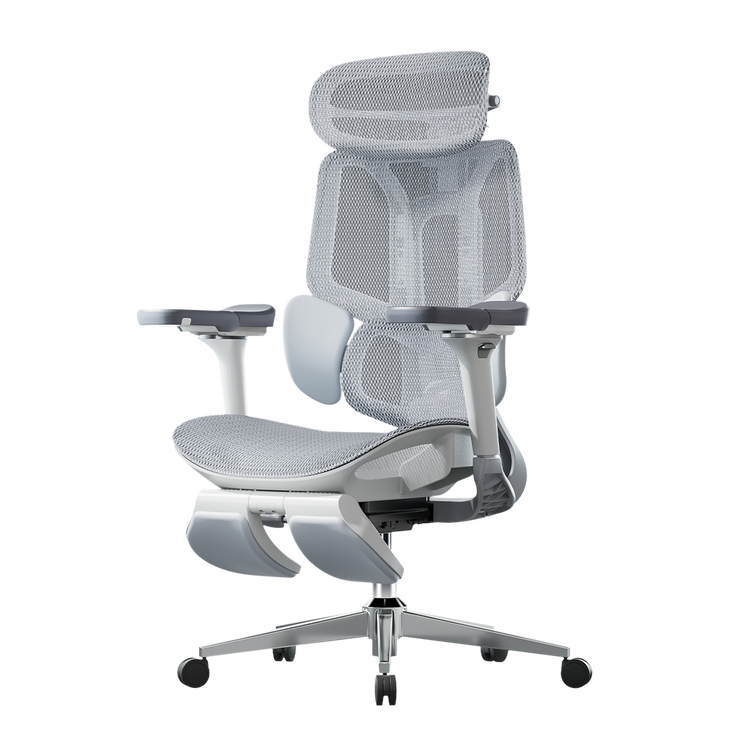
E3 2026 models with a footrest
Save an extra £15 on eligible E3 Air 2026 and E3 Pro 2026 configurations with a footrest.
HSE326FT15
Select the footrest version; this offer does not apply to configurations without a footrest.
£40EXTRA OFF
The X7 upgrade
Save an extra £40 on eligible HBADA X7 purchases.
HS26X40FFN
Confirm eligibility and the final total at checkout. Do not assume this code covers other X7-series models.
02 / The price edit
Different chairs. Different starting points.
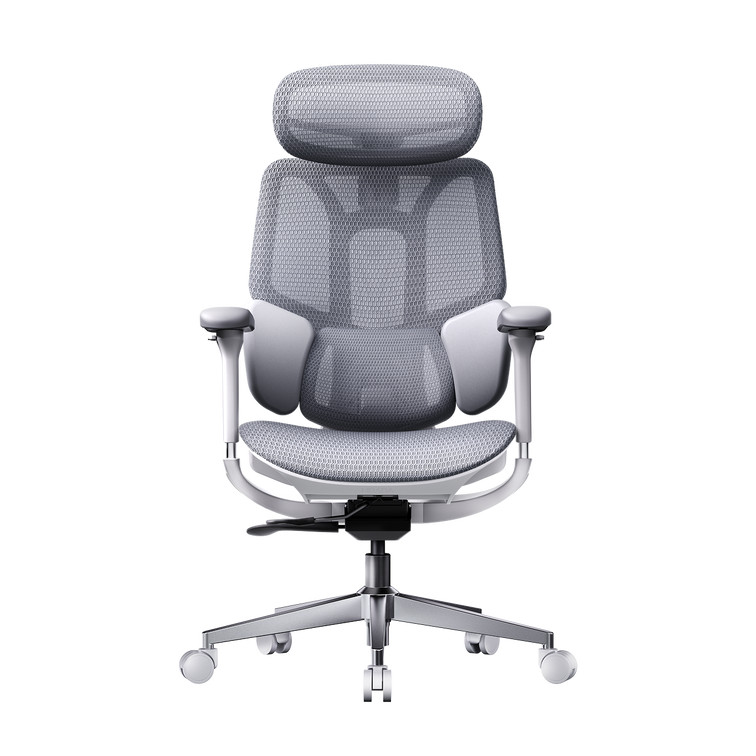
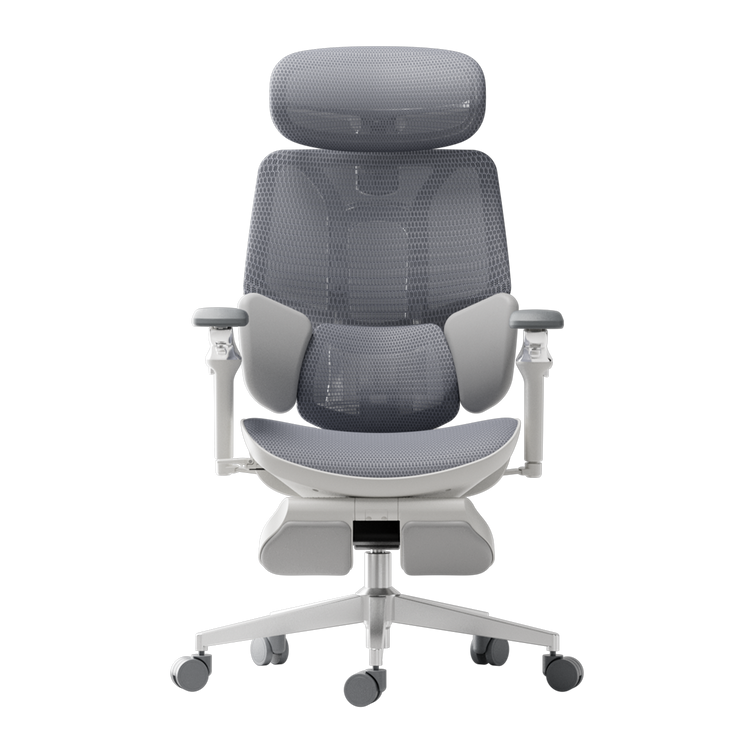
E3 Air 2026 Grey · without footrest
£379
E3 Pro 2026 Grey · with footrest
£569
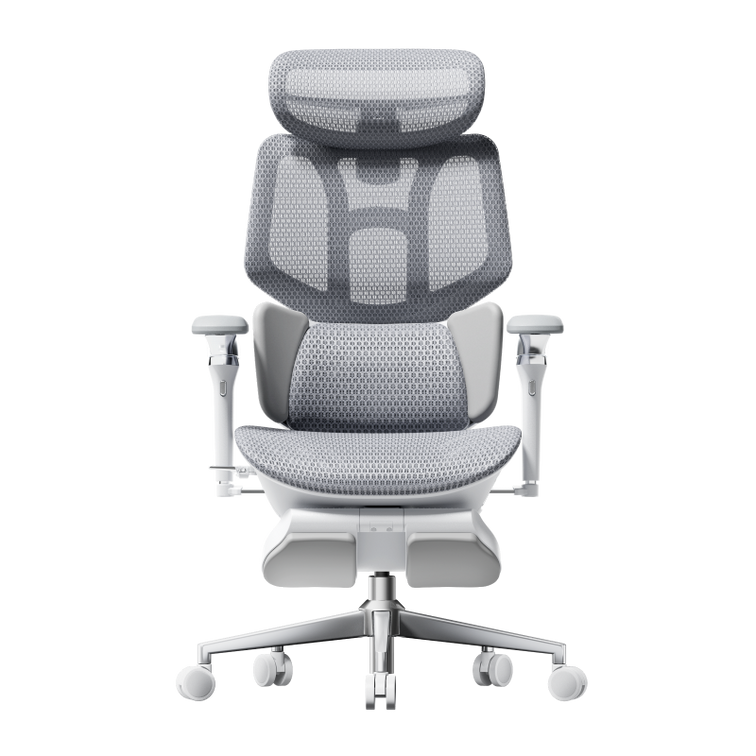
X7 Grey
£1,169
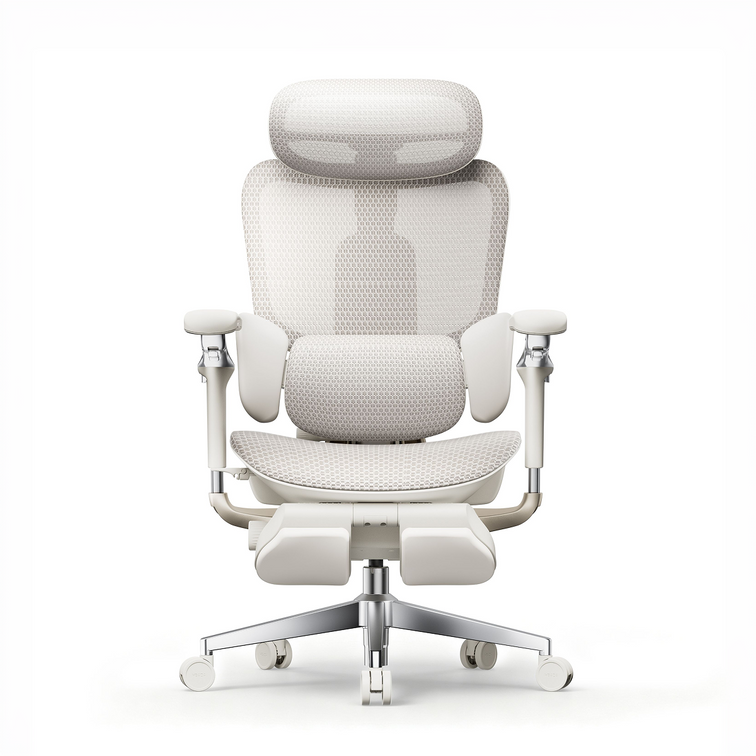
E3 Ultra · clearance Previous generation · grey
£499
Displayed campaign prices for the configurations above, before applicable extra codes. Prices and availability may change; check your selected variant and checkout total.
03 / Find your fit
What should your next chair do differently?
There is no single best office chair for every person. Use these shopping priorities to decide which model deserves a closer look.
01 The everyday shortlist
E3 Air 2026
A place to begin when you want to refine your everyday setup.
Start your comparison with the E3 Air 2026 if your priority is finding a chair that works naturally with your desk rather than choosing the most elaborate model.
Before deciding, check the seat-height range against your desk, the usable seat depth against your legs, and the armrest position against your keyboard. A good-looking setup should also leave you room to move.
Choose the footrest option only if you expect to use it during reclined breaks. It serves a different purpose from a separate under-desk footrest used while sitting upright.
02 The fine-tuning shortlist
E3 Pro 2026
For shoppers who want to examine adjustment options more closely.
Put the E3 Pro 2026 beside the Air in your shortlist and compare the adjustments you would actually use.
If you switch between typing, reading and video calls, consider how you want your arms and back to be supported in each position. More adjustment is useful when it helps you find a comfortable setup—not merely because the specification list is longer.
Check the exact colour and footrest selection before comparing prices. Two versions of the same model are not always like-for-like purchases.
Buy for the hours you spend at your desk—not just the moment you see the discount.
03 The smart-chair shortlist
HBADA X7
For a closer look at a different kind of seating experience.
Considering a smart ergonomic office chair? Explore the HBADA X7 and review its controls, setup requirements and product guidance before deciding.
Think about how you prefer to use a chair day to day. Some shoppers enjoy exploring additional functions; others want a simpler routine. Your preference matters as much as the feature list.
Keep the basics on your checklist, too: desk clearance, comfortable seat depth and room behind the chair when reclining.
Shopping clearance? Check the generation.
Our Halloween clearance selection includes a previous-generation E3 Ultra. It is not the E3 Ultra Gen 5.
Open the exact product listing from the Halloween clearance section and compare that model’s specifications. Do not use a newer model’s photos or feature list to judge an older version.
04 / Before you order
Five minutes now. A more considered purchase.
Measure your workspace. Note your desk height, space under the desktop and available clearance behind the chair.
Check fit before features. Review seat height and depth, then consider how the backrest, headrest and armrests will meet your body.
Compare the exact configuration. Check generation, colour and footrest selection rather than relying on the model name alone.
Review the final basket. Apply the eligible code and confirm the total before paying. Do not assume multiple promotions can be combined.
Read the practical details. Review the delivery information, assembly instructions and return conditions linked from your selected product page.
Need to revisit a model? Compare the E3 Air 2026, E3 Pro 2026 and X7 on our UK store.
05 / The useful answers
A few things to settle before checkout.
How do I choose the best Halloween office chair deal?
Shortlist chairs that fit your body and workspace first. Then compare the final price for equivalent configurations, including any options you need. A larger discount is not automatically a better purchase.
Should I choose a chair with a footrest?
Consider one if you want leg support during reclined breaks. For upright desk work, check whether your feet rest comfortably on the floor; an under-desk footrest is a separate option for that sitting position.
Is a previous-generation chair worth considering?
Yes, if its fit, adjustments and configuration meet your needs. Compare the exact listing rather than assuming a shared model name means identical features across generations.
Should I buy at Halloween or wait for Black Friday?
Base your decision on your current need, the available configuration and the price you are comfortable paying. Future offers and availability are not guaranteed, so there is no reliable reason to promise that one event will always be cheaper.
Your next workspace chapter
Keep the Halloween spirit.Upgrade the everyday seat.
Find your fit, check your chosen configuration and explore our UK offers. A thoughtful upgrade starts with how you want your workspace to feel.
Find your Halloween chair deal →
More thoughtful choices for your workspace.
Enjoyed this guide? Add HBADA UK as a preferred source on Google to help you find more of our chair guides and workspace advice.
Add HBADA UK on Google ↗
Opens Google in a new tab. Confirm your selection there if HBADA UK is available.
Oct 30, 2026
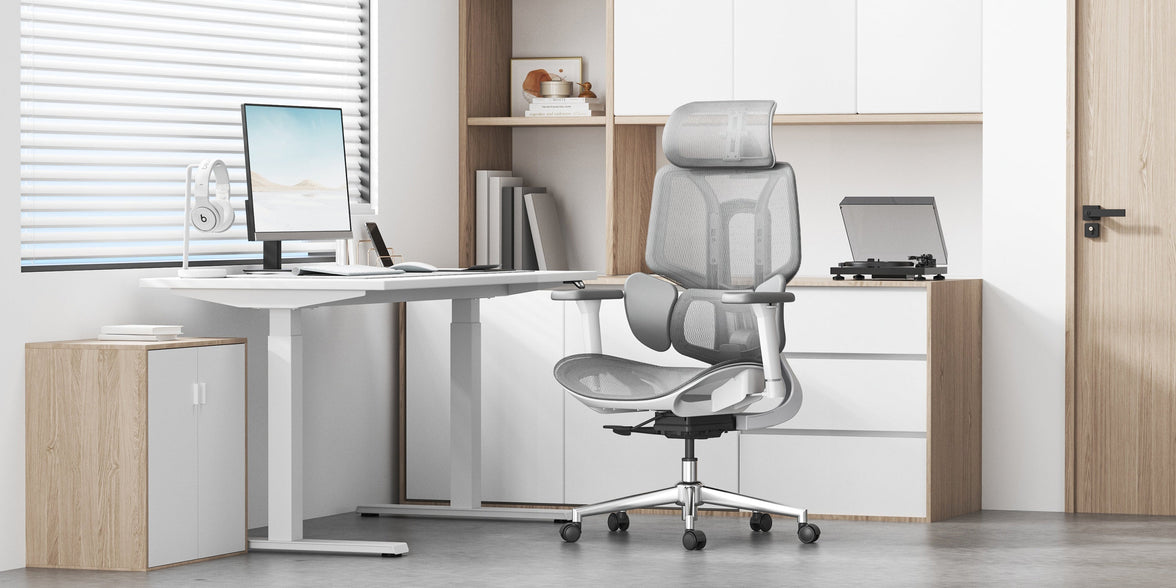 How to Choose the Best Ergonomic Office Chair in the UK: 2026 Buyer’s Guide
Office work has changed a lot lately, so your chair should keep up too. By 2026, traditional office chairs just aren’t enough. Now, people want office furniture that supports their health, not just a place to sit. When you shop for a new chair, focus less on looks and more on how it supports your body over time. In this guide, I’ll show you the main features to look for in a modern ergonomic chair so you can choose wisely.
Prioritize Dynamic Spinal Alignment
Chairs that keep you in one position often cause that afternoon slump. When shopping for a new office chair, check if it lets you move and shift easily. If a chair keeps you locked in place, your muscles have to work harder, which can lead to the aches and pains you want to avoid.
The Power of an Adaptive Lumbar Tracking Ergonomic Chair
A major upgrade for 2026 is the adaptive lumbar tracking chair. This chair uses sensors to keep the lumbar support in contact with your lower back, no matter how you sit. Whether you’re leaning forward to work or leaning back to think, the support moves with you. This helps prevent the gap at your lower back, sometimes called the 'empty waist,' which often causes back pain for office workers.
Why You Need a 3-Zone Dynamic Lumbar Support Chair
For top ergonomic support, look for a 3-zone lumbar chair with a split-wing design. This dynamic support cushions your spine’s natural curve, while flexible side wings adjust to reduce lower lumbar strain, providing targeted relief for those who sit for over 6 hours daily.
Seek Out “Total Body” Adjustability
A one-size-fits-all chair doesn’t work in today’s diverse workplaces. For a healthy sitting posture, your chair should fit your height and weight.
·720° Omni-Mechanical Armrests:Your arms are heavy; without proper support, they pull directly on your neck and shoulders. The latest ergonomic armrests for shoulder relief and posture offer multi-axis rotation. This allows you to anchor your elbows, whether you are typing on a laptop, using a mobile device, or reclining at 140 °.
·4D Dual-Axis Headrests:Avoid "tech neck" by choosing a headrest that adjusts in both height and depth. A dual-axis system allows the headrest to "find" your neck, providing a hovering anchor that lets your cervical muscles fully disengage.
·Independent Seat Depth & Tilt Tension:A real ergonomic chair for computer work should have a seat slider. Adjusting the seat depth supports your thighs without cutting off blood flow at your knees. With adjustable tilt tension, you can set how much effort it takes to recline, matching the chair to your weight.
·Backrest Height Customization:Not all torsos are the same length. A height-adjustable backrest ensures the dynamic lumbar support chair features align perfectly with the small of your back, rather than sitting too high or too low.
Compare the Best Ergonomic Chairs for 2026
To make your choice easier, we’ve listed the main products in our 2026 lineup. Each one is designed to solve common posture problems in today’s homes and offices.
Model
Primary User Benefit
Core Technology
Best For
Hbada E3 Air
Lightweight Versatility
Dynamic lumbar support chair
Home Office / Casual Use
Hbada E3 Pro
Intensive Support
Best ergonomic chair with 3-zone lumbar support
8+ Hour Workdays
Hbada X7 Smart
AI Health Integration
Adaptive lumbar tracking ergonomic chair
Posture Correction / Tech-Forward
If you’re planning to spend long hours at your desk and want a chair that really supports your posture, the E3 Pro and X7 Smart models are worth a look. These go beyond being just a place to sit—they’re designed to support your back and body throughout the day.
Frequently Asked Questions (FAQ)
Q: How do I know if a chair is actually “ergonomic”?A: A true ergonomic chair must have at least five points of adjustment: seat height, seat depth, lumbar tension, backrest tilt, and armrest position. If a chair lacks these, it cannot be customized to your body’s unique dimensions, which is the core ergonomic posture, meaning, and benefits requirement.
Q: What is the best sitting position for a herniated disc?A: You should aim for a “neutral spine” position. Keep your feet flat on the floor, knees at 90 degrees, and your lower back pressed firmly against an adaptive lumbar-tracking ergonomic chair. Avoid crossing your legs, as this tilts your pelvis and puts uneven pressure on your spinal discs.
Q: Can a lightweight ergonomic chair for home office use be as good as a corporate one?A: Absolutely. Modern materials like reinforced steel and high-tensile mesh enable a lightweight, ergonomic chair for home office setups that provides the same level of industrial-grade support as heavy executive models. Look for chairs that meet BIFMA durability standards.
Q: Why are armrests so important for posture?A: Properly adjusted ergonomic armrests for shoulder relief and posture take the load off your trapezius muscles. When your arms are supported, your shoulders can drop into a relaxed, natural position, which significantly reduces the risk of tension headaches and upper back pain.
Conclusion
Choosing the right office chair is really about looking after your long-term health. The best chairs in 2026 do more than just give you a spot to sit—they help manage your posture and keep you comfortable all day. If you focus on features like 3-zone lumbar support and adaptive tracking, you’ll set yourself up for a workspace that supports both your productivity and your well-being. With that said, don’t settle for a chair that leaves you sore or tired. Take the time to find one that fits your needs, and you’ll notice the difference every day.
For more information, please click to check:
https://www.hbada.uk/products/hbada-e3-ergonomic-office-chair-white
https://www.hbada.uk/products/hbada-e3-ergonomic-office-chair-with-footrest-white
https://www.hbada.uk/products/hbada-x7-smart-ergonomic-chair
Jun 09, 2026
 New Product Launch: HBADA E3 Air vs E3 Pro 2026 Edition — Full Breakdown
Introduction
Picking the right ergonomic chair can be tough. Many chairs claim to be comfortable but don’t hold up during long hours of sitting. The new HBADA E3 Air and E3 Pro 2026 models address these issues with precise ergonomics, adaptive support, and a design that saves space. This guide will help you decide which model is best for you.
Overview of the HBADA 2026 New Product Line
In 2026, HBADA is focusing on posture correction and spinal health. They use AI-driven ergonomics and designs that move with your body. Both the E3 Air and E3 Pro offer strong lumbar support, but each is made for a different kind of user.
· E3 Pro 2026: Premium performance with advanced ergonomic features
· E3 Air 2026: Lightweight, compact ergonomic chair for small apartments
Both chairs are made to support you during long hours at your computer. However, they differ in how adjustable they are and how much ergonomic support they offer.
Core Differences at a Glance
Product Comparison Table
Target User
Home office, students
Professionals, long-hour users
Lumbar System
Elastic lumbar support
3-zone dynamic lumbar support chair
Adjustment Level
Essential adjustments
Full adaptive system
Armrests
4D adjustable
720° omni-adjustable armrests chair
Weight & Size
Lightweight, compact
Larger, premium build
Smart Features
Manual + assisted
Adaptive lumbar tracking ergonomic chair
Best Use
Small apartments
Long sitting duration (6–10 hours)
Lumbar Support Technology Breakdown
E3 Pro — 3-Zone Dynamic Precision
The E3 Pro stands out for its 3-zone lumbar support system, which means it provides targeted support for your upper, middle, and lower back. This approach helps keep your spine aligned throughout the day rather than focusing on just one area.
Key benefits:
· Continuous spinal alignment
· Reduced lower back pressure
· Adaptive response to posture shifts
With that said, the E3 Pro is a great choice if you spend 8+ hours at your desk each day, such as remote workers or professionals who need reliable support for extended periods.
E3 Air — Essential Ergonomic Support
The E3 Air takes a simpler approach. Instead of multiple adjustment zones, it uses elastic lumbar support to help you maintain good posture without fiddling with many settings.
It performs well for:
· Short to medium work sessions
· Students and remote workers
· Users who prefer minimal setup
Armrest Engineering and Upper Body Support
720° Omni-Adjustable Armrests (E3 Pro)
The E3 Pro features a 720° omni-adjustable armrest chair system. This allows:
· Vertical, horizontal, and rotational movement
· Precise elbow positioning
· Reduced shoulder tension
These ergonomic armrests are especially helpful for reducing shoulder tension and maintaining proper posture, which can make a big difference when you’re typing or using a mouse for hours at a time.
Functional Armrests (E3 Air)
The E3 Air includes 4D adjustable armrests. While less complex, they still support:
· Basic height and depth adjustment
· Comfortable typing posture
· Balanced arm positioning
If you want a practical chair that lets you adjust your armrests for comfortable typing, the E3 Air covers the basics without making things complicated.
Space Efficiency and Design Philosophy
Compact Ergonomic Chair for Small Apartments
If you don’t have much space, the E3 Air has a small footprint. It’s easy to slide under most desks and move around in tight rooms.
· Easy placement under desks
· Better mobility in limited rooms
· Reduced visual clutter
If you live in a U.S. apartment with limited space, this model fits seamlessly into your setup.
Premium Structure for Stability (E3 Pro)
The E3 Pro prioritizes performance over compactness. Its structure supports:
· Enhanced durability
· Full-body ergonomic alignment
· Stability during reclining
The E3 Pro is better if you have a dedicated home office or workspace with enough room for a larger, sturdier chair.
Smart Ergonomics and Adaptive Technology
Adaptive Lumbar Tracking (E3 Pro)
The E3 Pro introduces adaptive lumbar tracking ergonomic chair technology. It automatically adjusts based on your posture.
This results in:
· Continuous support without manual changes
· Improved posture correction and spinal health
· Reduced fatigue over long sessions
Assisted Ergonomics (E3 Air)
The E3 Air, by comparison, relies on manual adjustments. While it doesn’t have the same level of automation, you can still get solid ergonomic support as long as you take a few minutes to set it up to fit your body.
Which Is the Best Ergonomic Chair for Your Needs?
Choose E3 Pro If You Need:
· The best ergonomic chair for long hours
· Advanced posture correction
· Premium / advanced ergonomic features
· Full adjustability and automation
This model is built for users who prioritize performance and long-term spinal health.
Choose E3 Air If You Need:
· A compact ergonomic chair for small apartments
· Lightweight and easy-to-move design
· Reliable ergonomic support without complexity
· A straightforward solution for your home and office
Practical Setup Tips for Maximum Benefit
To get the most from either chair:
· Adjust the seat height so your feet stay flat on the floor.
· Align lumbar support with your lower back.
· Set armrests to keep elbows at 90 degrees.
· Position your screen at eye level.
Following these steps will help you get the most out of your chair and maintain proper posture, no matter which model you choose.
Common Buying Mistakes to Avoid
· Choosing based on appearance instead of ergonomics
· Ignoring lumbar support quality
· Overlooking armrest adjustability
· Buying oversized chairs for small spaces
· Not adjusting the chair after purchase.
Even the best chair will fail if improperly selected or configured.
FAQ
Q: What is the main difference between HBADA E3 Air vs E3 Pro?
A: The E3 Pro offers advanced features such as 3-zone lumbar support and adaptive tracking, while the E3 Air focuses on simplicity and a compact design. The Pro is better for long hours, while the Air suits smaller spaces and lighter use.
Q: Is the E3 Pro worth it for long sitting durations?
A: Yes. Its adaptive lumbar system and advanced adjustability provide continuous support. This reduces fatigue and improves posture during extended work sessions, making it suitable for users who sit for 6–10 hours daily.
Q: Which chair is better for small apartments?
A: The E3 Air is the better choice. Its compact design and lightweight structure make it ideal for limited spaces while still delivering reliable ergonomic support.
Q: Do both chairs support proper posture?
A: Yes. Both models are designed as ergonomic chairs for a correct sitting posture. The difference lies in the support system's level of advancement, with the E3 Pro offering more dynamic adjustments.
Conclusion
The new launch of the HABADA E3 Air vs E3 Pro 2026 delivers two clear paths. One focuses on compact efficiency, the other on advanced ergonomic precision.
If you value simplicity and need to make the most of a small space, the E3 Air is a solid pick. On the other hand, if you’re after maximum support for long workdays, the E3 Pro is worth considering.
Ultimately, think about your daily routine and how you actually use your chair-choosing based on your habits will help you get the most comfort and value out of your investment.
For more information, please click to check:
https://www.hbada.uk/products/hbada-e3-ergonomic-office-chair-white
https://www.hbada.uk/products/hbada-e3-ergonomic-office-chair-with-footrest-white
Jun 09, 2026
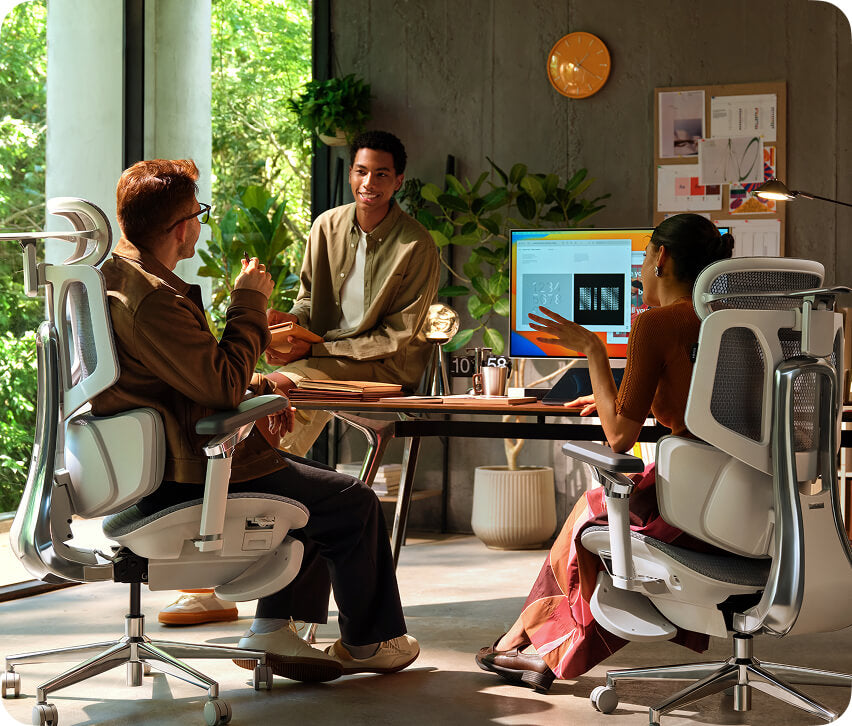 Are You at Risk of a Herniated Disc? How Your Chair Could Be the Cause
Sitting all day at work shouldn’t be risky, but for many people, it is. If you feel sharp pains or a dull ache in your lower back, your chair could be to blame. Learning how your workstation affects your spine is the first step to feeling better. Here’s how your chair can impact your discs and what you can do about it.
The Hidden Connection Between Sitting and Spinal Health
People often ask if office chairs can cause herniated discs. The answer is yes. While a chair doesn’t cause the injury right away, a poorly designed chair can set the stage for spinal problems. Sitting in a chair without good support flattens your spine’s natural S-shape into a C-shape, putting uneven pressure on your discs.
Understanding Spinal Compression from Sitting
When you sit still for hours, your spine gets compressed. This pressure pushes fluid out of your spinal discs, making them dry and more likely to tear. Over time, this ongoing stress can cause the soft center of a disc to bulge or leak, pressing on sensitive nerves and causing a herniation.
The Dangers of Bad Posture and Herniated Discs
Orthopedic specialists have shown that poor posture is closely linked to herniated discs. Slouching or sitting on the edge of your seat puts up to 150% more pressure on your lower back than standing. If you already feel a twinge, sitting without good support can turn a small problem into a serious one.
Identifying the Signs: Is Your Chair Causing Lower Back Pain?
If you find yourself constantly shifting, stretching, or standing up to escape discomfort, you are likely using a chair that causes lower back pain. This discomfort is your body’s early warning system.
From Aches to Sciatica
If you ignore back fatigue, it can turn into nerve problems like radiculopathy. Many people look for office chairs that relieve sciatica because their current chair puts pressure on the sciatic nerve. This can cause numbness, tingling, or a sharp, shooting feeling down your leg. Without proper lumbar support, your lower back takes all the weight, which can lead to these symptoms.
The Solution: Engineering Support for a Healthy Spine
To protect your back, you need more than a simple cushion. At Hbada, we focus on Bio-Synchronization, which means designing chairs that move with your body.
The Power of an Adaptive Lumbar Tracking Ergonomic Chair
A regular chair only supports you if you sit completely still, but work involves movement. An adaptive lumbar tracking ergonomic chair has a backrest that moves with your spine. Whether you lean forward or recline, the support stays in place, helping keep your lower back supported and closing the gap that can cause injuries.
Benefits of a 3-Zone Dynamic Lumbar Support Chair
If you already have back pain, a dynamic lumbar support chair can make a big difference. A 3-zone lumbar support chair gives targeted relief: the middle zone supports your spine, and the side zones support your waist muscles. This spreads your weight out, reducing pressure on any one disc and helping your back stay healthy over time.
Mastering Your Workday: How to Sit with a Herniated Disc
If you already have a back injury, it’s important to set up your workspace carefully. Knowing how to sit at your desk with a herniated disc can help you avoid more pain and recover faster.
What is the Best Sitting Position for a Herniated Disc?
When people ask, “What is the best sitting position for a herniated disc?” we suggest the Neutral Reach position. Line up your ears, shoulders, and hips vertically. Keep your feet flat on the floor and your knees just below your hips. This helps open your pelvis and lowers pressure on your spinal discs.
Does Lumbar Support Help a Herniated Disc?
You might wonder, “Does lumbar support help a herniated disc?” The answer is yes. Good support works like a brace for your spine. It maintains the natural curve of your lower back, spreading your weight evenly across the disc rather than putting pressure on the edges where herniations often occur.
Choosing the Right Hbada Chair for Spinal Protection
We have developed a range of chairs designed specifically for proper sitting posture for office workers with back pain. Use the table below to find the best fit for your specific needs.
Feature
Hbada E3
Hbada E3 Pro
Hbada AI-Powered
Primary Focus
Daily Comfort
Advanced Pain Relief
Maximum Posture Correction
Lumbar Tech
Dynamic Support
3-Zone Support
AI Bio-Synchronized
Ideal For
General Office Work
Existing Back Pain
Office chair sciatica relief
Adjustment
4D Armrests
5D Armrests + Leg Rest
Fully Automated Tracking
When you use an ergonomic chair to improve your posture, you go from just managing pain to actively preventing injuries. Our AI-powered chairs can even remind you to move if you’ve been sitting too long, helping keep your discs healthy.
Frequently Asked Questions (FAQ)
Q: Can a good chair really fix a herniated disc?A: A chair won’t cure a herniated disc, but it’s an important part of recovery. An ergonomic chair lowers the stress on your discs each day, which helps inflammation go down. Without good support, you might keep hurting your disc every time you sit at your desk.
Q: How do I know if my lumbar support is in the right place?A: The lumbar support should fit comfortably in the small of your back, just above your belt. It should feel like a firm hand supporting your spine, helping you sit upright without straining your muscles. If it pushes against your ribs, it’s set too high.
Q: Why does my back hurt more in a “comfy” plush chair?A: Soft, plush chairs usually don’t give enough support. They let your pelvis tilt backward, causing your spine to slouch. This slumping puts more pressure on your discs than a firm, supportive ergonomic chair, which keeps your body in the right position.
Q: How often should I adjust my chair settings?A: Adjust your chair whenever you switch tasks. For example, if you go from typing to a long video call, you should also change your recline and lumbar support. Our adaptive lumbar tracking chair makes this easy by adjusting automatically for you.
Conclusion
A herniated disc is a serious condition, but it is often preventable with good habits and the right equipment. Your chair is a key part of your work life, so make sure it supports you. Choosing a chair with active, 3-zone support and bio-synchronized movement helps protect your spine for the long term. Don’t wait for the pain to get worse. Invest in your health now.
For more information, please click here:
https://www.hbada.uk/products/hbada-e3-ergonomic-office-chair-with-footrest-white
https://www.hbada.uk/products/hbada-x7-smart-ergonomic-chair
Jun 09, 2026
 Best Ergonomic Chairs for Small Apartments in 2026
Introduction
Limited space doesn’t mean compromising posture. Compact ergonomic chairs offer complete support without crowding your room. In 2026, leading chairs feature smart design, space-saving profiles, and strong posture support, so you can work efficiently and protect your spine.
What Makes a Chair Ideal for Small Apartments
Compact Footprint Without Compromising Ergonomics
Choose a chair that balances small size and comfort. Look for these features:
· Slim backrests and space-saving bases
· Foldable or flip-up armrests
· Lightweight frames for easy repositioning
Your chair should fit under your desk and support good posture, even for long hours.
Multi-Functional Adjustability
In a small space, versatility is key. Pick a chair that adjusts as you move between tasks.
· Sitting position in front of the computer
· Relaxed reclining for reading
· Upright posture for focused work
These chairs adjust for any activity, reducing the need for extra furniture.
Ergonomic Posture Meaning and Why It Matters
Ergonomic posture means keeping your spine aligned while sitting. This reduces strain on muscles, joints, and spinal discs.
Poor posture leads to:
· Lower back compression
· Shoulder tension
· Neck fatigue
Modern ergonomic chairs guide your body into proper posture for students and professionals.
HBADA chairs are engineered to adapt to your body instead of forcing a fixed position, improving long-term spinal health.
Key Features to Look for in the Best Ergonomic Chair
Intelligent Lumbar Support
Your lumbar region bears the most pressure when you sit. That's why top chairs now offer:
· Automatic waist tracking
· Bio-synchronized support systems
· 3-zone lumbar structures
HBADA's latest models use adaptive lumbar systems that adjust as you move, ensuring support.
Ergonomic Armrests for Shoulder Relief
Arm support affects shoulder and back comfort. Seek chairs with height-adjustable armrests.
· Forward/backwards sliding.
· Rotation and tilt functions.
Set your chair’s armrests so your elbows are at 90 degrees. This small change can ease shoulder tension and make typing easier.
Breathable and Space-Efficient Materials
Mesh-backed chairs are very popular in 2026, and there are good reasons for that:
· High airflow for long sitting sessions
· Reduced bulk compared to foam chairs
· Even pressure distribution
Advanced mesh materials let air flow much better than traditional chair fabrics.
Smart Adjustment Technology
AI-powered chairs are redefining ergonomics:
· Real-time posture tracking
· Automatic lumbar positioning
· Minimal manual adjustments
Some models have built-in sensors that monitor how you sit and adjust the support to keep you in good alignment without any extra effort.
Best HBADA Ergonomic Chairs for Small Apartments (2026)
Product Comparison Table
HBADA E3 Pro 2026
Long work hours
3-zone lumbar, 6D armrests, headrest
Medium footprint
Adaptive support
HBADA E3 Air 2026
Compact spaces
Lightweight mesh, slim design
High
Manual + adaptive
HBADA X7 AI Chair
Premium users
AI lumbar tracking, massage, sensors
Medium
Fully automated
HBADA P2 Ergonomic Chair
Budget-friendly
Basic lumbar support, foldable arms
High
Manual
How to Choose the Right Chair for Your Space.
Measure Your Workspace First
Before choosing a chair, take a few quick measurements:
· Check desk height
· Measure floor clearance
· Ensure room for reclining.
Your chair should let you move and lean back easily, without hitting walls or furniture. This matters even more in small rooms.
Match Features to Usage
Consider how you’ll use your chair most of the time, and let that help you decide:
· Students: prioritize proper sitting posture for students and adjustable height
· Remote workers: focus on lumbar support and armrests
· Gamers: look for reclining and headrest support
Prioritize Adjustability Over Size Alone
A small chair without adjustable features can harm your posture. Always make sure your chair has:
· Seat height adjustment
· Lumbar positioning
· Armrest flexibility
Correct Sitting Posture on Chair (Step-by-Step)
Ideal Sitting Position in Front of the Computer
Follow this structure:
1. Feet flat on the floor
2. Knees at hip level
3. Back fully supported
4. Screen at eye level
5. Elbows close to the body
Maintaining this alignment helps your spine stay in its natural curve, which can significantly reduce tiredness and discomfort throughout the day.
Common Sitting Posture Types (and What to Avoid)
· Slouching: increases spinal pressure
· Leaning forward: strains neck and shoulders
· Crossing legs: affects circulation
A good ergonomic chair can help you avoid these habits by guiding your body into a healthier sitting position.
Why HBADA Chairs Stand Out in 2026
HBADA combines ergonomic research with advanced engineering:
· Multi-dimensional precision adjustments for all body types
· Certified ergonomic design supporting spinal alignment
· Over 100 durability and safety tests per chair
The newest models stand out because they focus on adaptive sitting. Instead of locking you into one position, these chairs move with you and support your body as you shift throughout the day.
Common Mistakes to Avoid
· Choosing style over ergonomics
· Ignoring armrest adjustability
· Buying oversized chairs for small rooms
· Skipping lumbar support features
· Not adjusting the chair after purchase.
Even the best chair only works well if you adjust it to fit your body and maintain good posture throughout the day.
FAQ
What is the best ergonomic chair for small apartments?
The best ergonomic chair combines compact design with full adjustability. Look for slim profiles, foldable armrests, and strong lumbar support. Models with adaptive features provide better long-term comfort without requiring extra space.
How do I maintain correct sitting posture on a chair daily?
Keep your back aligned with the backrest, feet flat, and screen at eye level. Adjust armrests to support your elbows. A well-designed ergonomic chair helps maintain this posture naturally throughout the day.
Are ergonomic chairs worth it for students?
Yes. Proper sitting posture for students reduces fatigue and improves focus. Ergonomic chairs support spinal alignment during long study sessions, preventing discomfort and long-term posture issues.
What features matter most in a compact ergonomic chair?
Prioritize lumbar support, adjustable armrests, breathable materials, and space-saving design. Smart adjustment features are a bonus but not essential for effective ergonomic support.
Conclusion
Picking the right ergonomic chair can really improve how you work and feel in a small apartment. I suggest looking for a chair that adapts to you, supports your posture, and fits your space, instead of just choosing the smallest one.
Find a chair that fits your space and your body. When your chair supports your posture, you’ll notice comfort and productivity come more easily.
For more information, please click here:
https://www.hbada.uk/products/hbada-e3-ergonomic-office-chair-with-footrest-white
https://www.hbada.uk/products/hbada-e3-ergonomic-office-chair-white
https://www.hbada.uk/products/hbada-x7-smart-ergonomic-chair
https://www.hbada.uk/products/p2-ergonomic-office-chair
Jun 09, 2026
 5 Ways the Wrong Armrest Position Is Damaging Your Shoulders—How to Fix
If you end your workday with shoulder or neck discomfort, your armrests may be the cause. Though often overlooked, their position is crucial for offloading upper-body weight. Misaligned armrests make your muscles work harder, leading to strain. Here are five ways your chair setup may harm your shoulders, along with how to correct them.
Shoulder Elevation and “The Shrug” Effect
One of the most common issues occurs when armrests are set too high. This forces your shoulders into a permanent “shrug,” compressing the trapezius muscles and restricting blood flow to your neck. Over several hours, this static tension leads to severe stiffness and tension headaches.
The Fix: Precise Height Calibration
To achieve ergonomic armrests for shoulder relief and posture alignment, lower the supports until your shoulders drop into a natural, relaxed position. Your elbows should form about a 90-degree angle as your forearms rest on the pads. If you find your chair’s increments too large, you may need an ergonomic chair with precise armrest positioning to find the perfect, stress-free height.
Wide Armrest “Wingspan” and Rotator Cuff Strain
Many standard office chairs often have armrests that are too wide. This forces your arms out, causing your shoulder blades to move away from your spine. This stresses the rotator cuff and surrounding tendons.
The Fix: Inward Pivot Adjustments
Choose an Hbada office chair with multidirectional armrest adjustment that allows the pads to pivot inward. By bringing the armrests closer to your torso, your elbows stay tucked by your sides. This keeps your humerus (upper arm bone) securely in the shoulder socket, preventing the long-term wear and tear associated with reaching.
The “Floating Arm” Syndrome
When armrests are too low or missing entirely, your shoulders must bear the full weight of your arms—roughly 10% of your total body weight. This constant downward pull strains the ligaments and causes “slumping,” in which your chest collapses forward, disrupting your spinal alignment.
The Fix: Full Support for Long Hours
If you are struggling with how to fix shoulder pain from an office chair, the answer is consistent weight distribution. Using an adjustable armrest ergonomic chair for long hours ensures your arms are always supported, whether you are leaning back to read or sitting upright to type. Our premium ergonomic chair with full-arm support adjustment offers the range you need to bridge the gap between your body and your desk.
Interference with Desk Proximity
If your armrests hit the edge of your desk, you are forced to sit too far away from your keyboard. This causes you to lean forward and hunch your back, which is a leading cause of both shoulder impingement and lower back issues.
The Fix: Symmetrical Alignment and Core Engagement
Even when using an ergonomic chair with adjustable armrests for shoulder pain, you must remain mindful of your balance. Set both armrests to the exact same height and width. This encourages a centered sitting position, which is especially important when managing complex issues. For example, when considering the best sitting position for a herniated disc, symmetry is key to evenly distributing pressure across your spinal discs.
Uneven Loading and Postural Lean
Most people have a dominant hand, leading them to lean heavily on one armrest while the other “floats.” This creates a pelvic tilt and an asymmetrical shoulder line, which can eventually contribute to scoliosis-like symptoms or aggravate existing spinal conditions.
The Fix: Symmetrical Alignment and Core Engagement
Even when using an ergonomic chair with adjustable armrests for shoulder pain, you must remain mindful of your balance. Set both armrests to the exact same height and width. This encourages a centered sitting position, which is especially important when managing complex issues. For example, when considering the best sitting position for a herniated disc, symmetry is key to evenly distributing pressure across your spinal discs.
Hbada Armrest Technology Comparison
We engineer our products to provide active relief. Whether you are dealing with minor tension or chronic pain, our armrest technology is designed to adapt to your unique biomechanics.
Frequently Asked Questions (FAQ)
Q: How do I know if my armrests are at the right height?A: Your armrests are correct if your shoulders are relaxed and your elbows are at 90 degrees. You should reach your keyboard without lifting your shoulders or dropping your elbows.
Q: Should I use armrests while typing?A: Yes, use armrests while typing. They support your arms, reducing strain on your back and neck.
Q: Can the armrest position affect my lower back?A: Yes. Poor armrest position forces you to slouch, stressing your lower back.
Q: What is the benefit of a “multi-directional” armrest
A: Multi-directional armrests adjust height, width, depth, and pivot, adapting for different tasks and users.
Q: Can a better chair help with a herniated disc?A: While not a cure, ergonomic chairs support your spine and help relieve disc pressure.
Conclusion
Your shoulders carry enough stress; your office chair shouldn’t add to it. By identifying these five common armrest mistakes, you can take immediate action to align your body and eliminate workday pain. Remember that true ergonomic comfort comes from a chair that adjusts to you, not the other way around. Invest in a solution with multi-directional armrest adjustment today, and give your shoulders the relief they deserve so you can focus on what truly matters, your work and your well-being.For more information, please click here:
https://www.hbada.uk/products/hbada-e3-ergonomic-office-chair-whiteZ
https://www.hbada.uk/products/hbada-e3-ergonomic-office-chair-with-footrest-white
https://www.hbada.uk/products/hbada-x7-smart-ergonomic-chair
Jun 09, 2026


