

Blog

All the Things You Need to Know About Healthy Sitting Posture at Work

All the Things You Need to Know About Healthy Sitting Posture at Work

You don’t have to accept back pain as part of your workday. Good posture is important for your health and productivity. It helps reduce strain on your spine, increases your energy, and prevents joint injuries. The best approach is to build healthy habits and use supportive seating. Here’s how you can set up your workspace for comfort and focus.


What is Ergonomic Posture? Meaning and Benefits

The Hidden Costs of Poor Alignment

Many people don’t realize how much a typical office setup can affect their bodies. Slouching at your desk can put pressure on your spine, make it harder to breathe, and slow your digestion. Over time, this can lead to back pain, headaches, and fatigue. To feel better at work, it’s important to learn about posture and how your body moves.

Ergonomic Posture: Meaning and Benefits

What does ergonomic posture mean, and why is it helpful? It means keeping your body in a natural, relaxed position. This reduces tired muscles and takes pressure off your joints. You’ll notice fewer headaches, less back pain, and better blood flow in your legs. With a good setup, your muscles don’t have to work extra hard to keep you upright, so you can stay focused and avoid feeling tired in the afternoon.


Proper Sitting Posture for Office Workers: A Step-by-Step Guide

Just reminding yourself to “sit up straight” isn’t enough. Good sitting posture means your whole body works together with your desk, monitor, and chair. Here’s how to get it right from head to toe.

Spinal Alignment and Sitting Position in Front of Computer Ergonomics

When you set up your computer workspace, start by making sure your monitor is at eye level and about an arm’s length away. This helps keep your neck straight and avoids strain. Sit with your hips all the way back in your chair. If you have an adjustable chair, set the seat depth so your back is supported and there’s a small gap between the seat and the back of your knees.

Feet, Legs, and Circulation

Your lower body matters for posture. Keep your knees at or just below hip level, and keep your feet flat on the floor. If your feet don’t reach, use a footrest. Try not to cross your legs, since it can twist your hips and reduce circulation, which may cause numbness or discomfort.

Ergonomic Armrests for Shoulder Relief and Posture

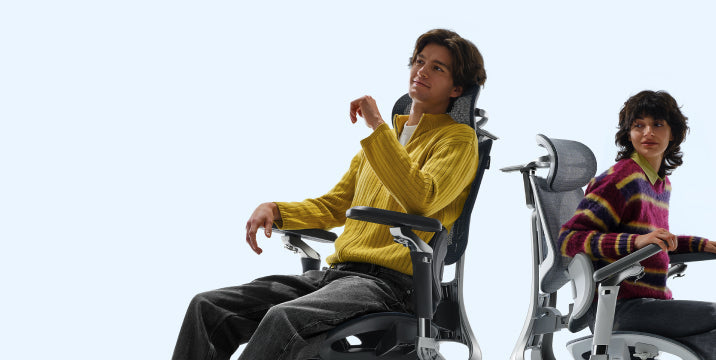
Pay attention to your arms and wrists. Keep your elbows close to your sides at a natural angle, about 90 to 100 degrees. Good armrests help support your arms and take pressure off your neck and shoulders. Place your keyboard and mouse so your wrists stay straight, not bent up or down.


Why Your Office Chair is Your Most Important Tool

Healthy habits are important, but your chair matters just as much. If your seat is stiff and doesn’t support you, it’s hard to keep good posture all day.

The Search for the Best Ergonomic Chair for Long Hours

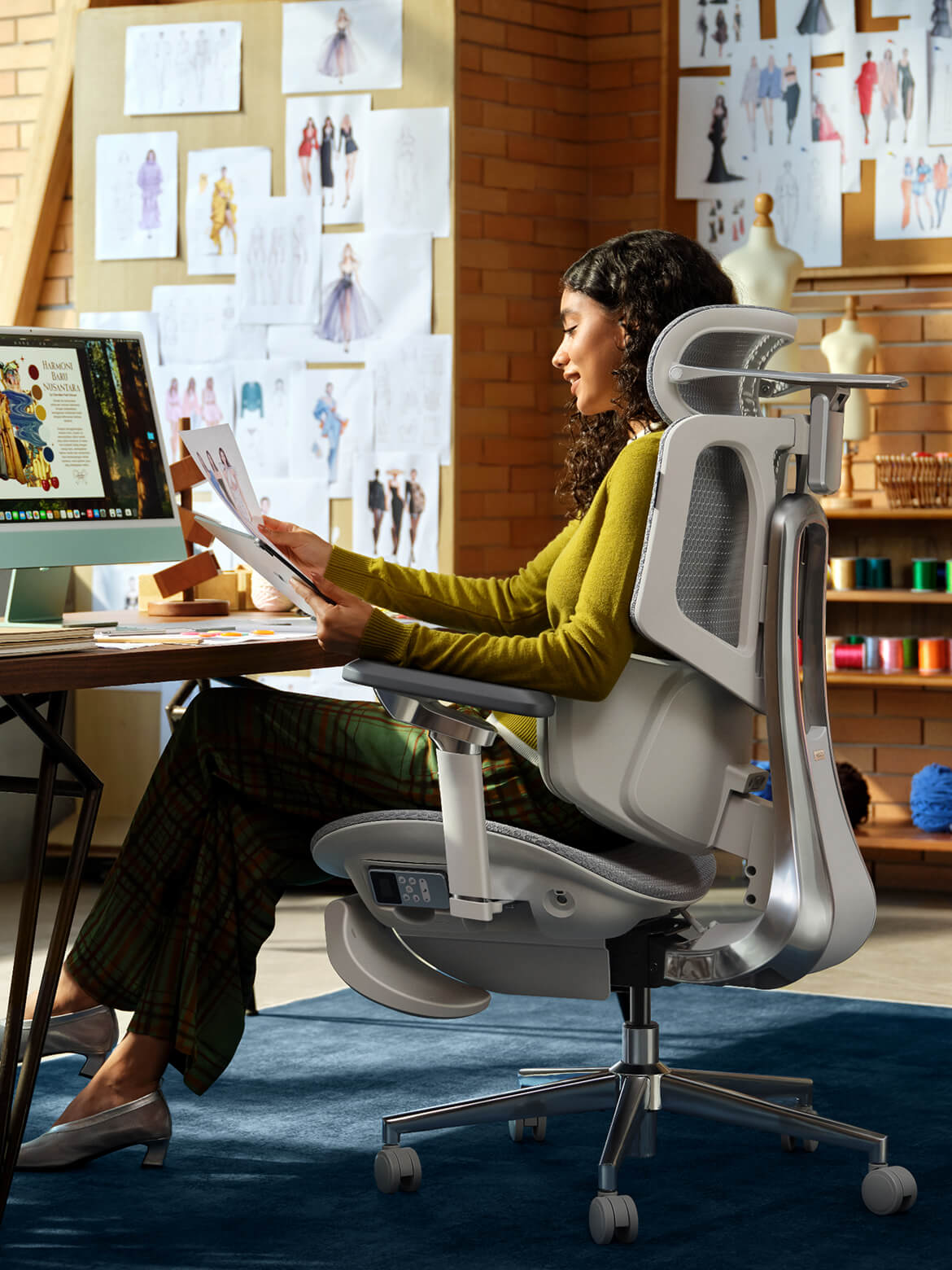
If you spend many hours at your desk, you need a chair that’s made for long use. The best ergonomic chairs move with you and support your spine’s natural curve as you shift positions. Investing in a chair with lumbar support is a smart choice for your health and comfort, whether you work at home or in an office.

Advanced Support: The Science of Lumbar Tracking

Regular lumbar support doesn’t always work well because we move a lot during the day. An adaptive lumbar chair adjusts as you change positions, like when you lean forward or recline. Some chairs have three zones of support that fit the shape of your lower back and give relief to your muscles, spine, and pelvis. This way, your spine always gets the support it needs, no matter how you sit.


Hbada Ergonomic Chair Comparison: Elevate Your Workspace

We focus on creating chairs that support your health and help you work at your best. Whether you want a top ergonomic chair or a simple, lightweight option for your home office, our products are designed to deliver. Here’s a comparison to help you choose what’s right for your workspace.


Product Model

Ideal User Scenario

Key Ergonomic Features

Lumbar Support Technology

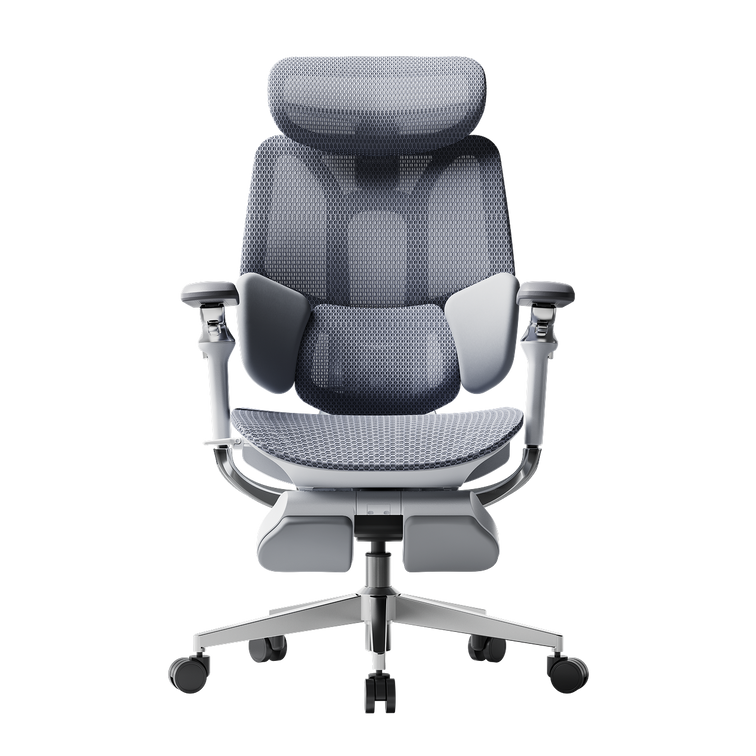
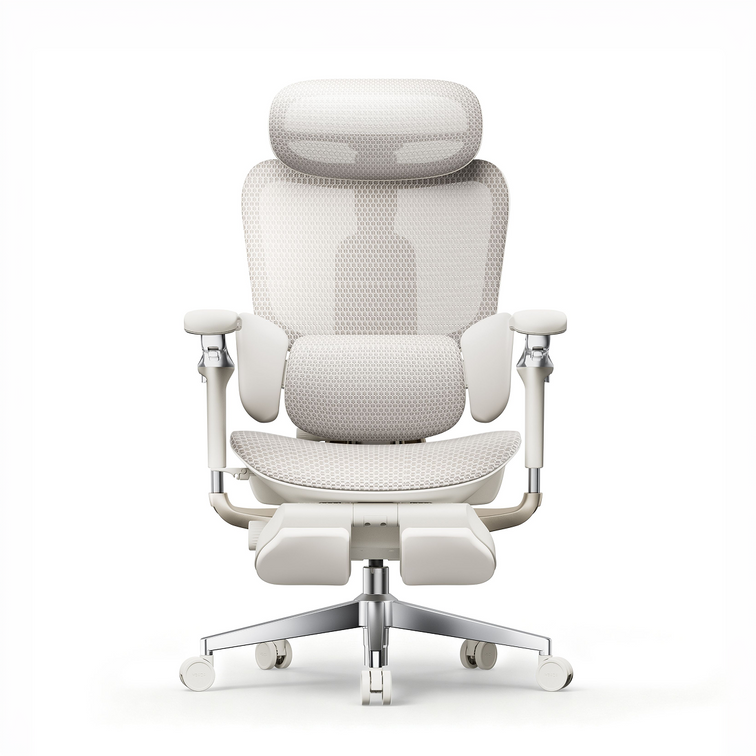
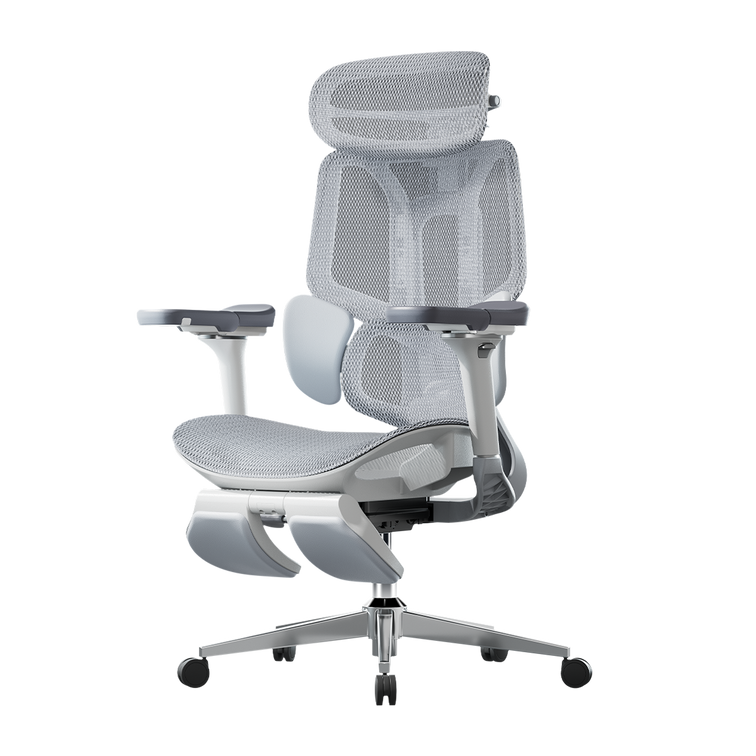
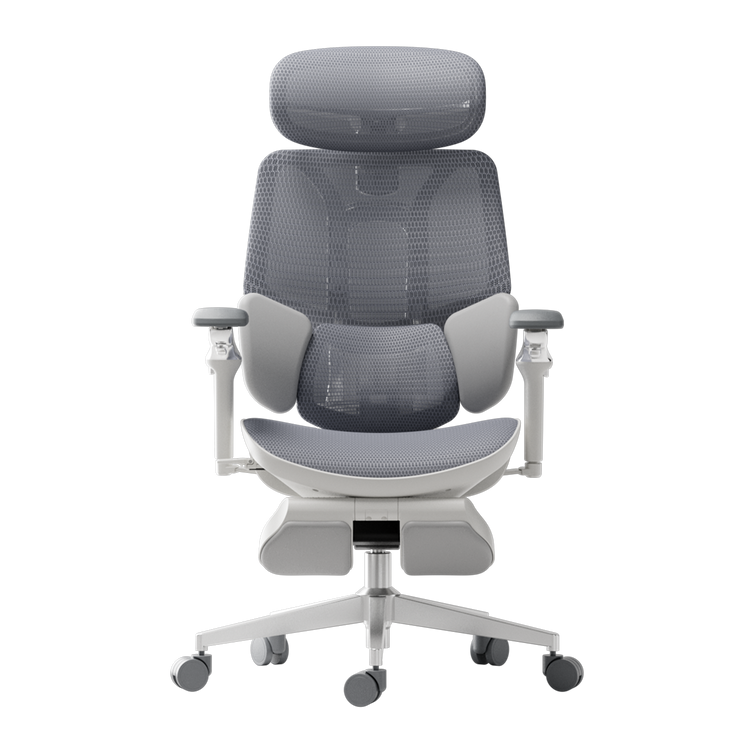
Hbada E3 Air

Home Office / Remote Workers

Breathable mesh, dynamic tilt, ergonomic armrests for shoulder relief and posture.

Standard Dynamic Lumbar

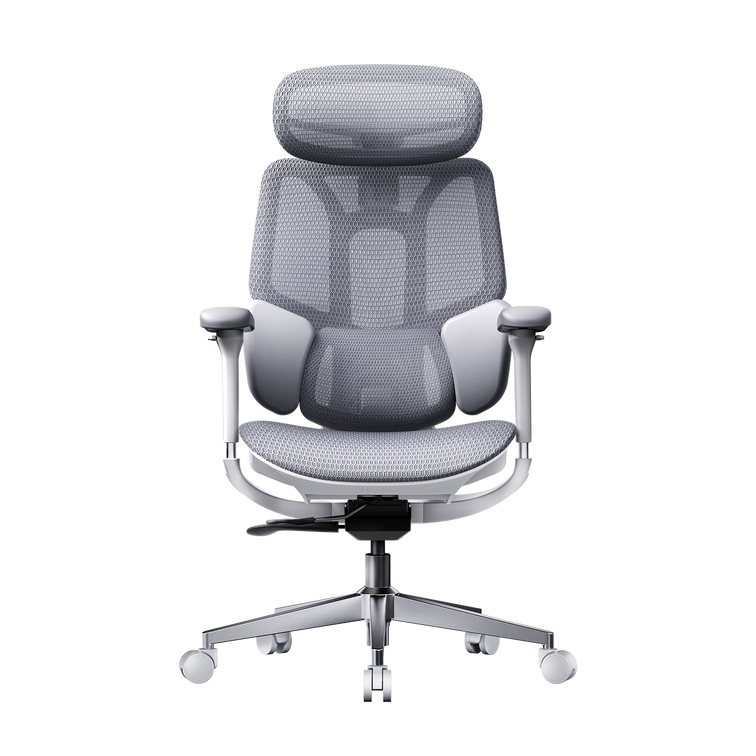
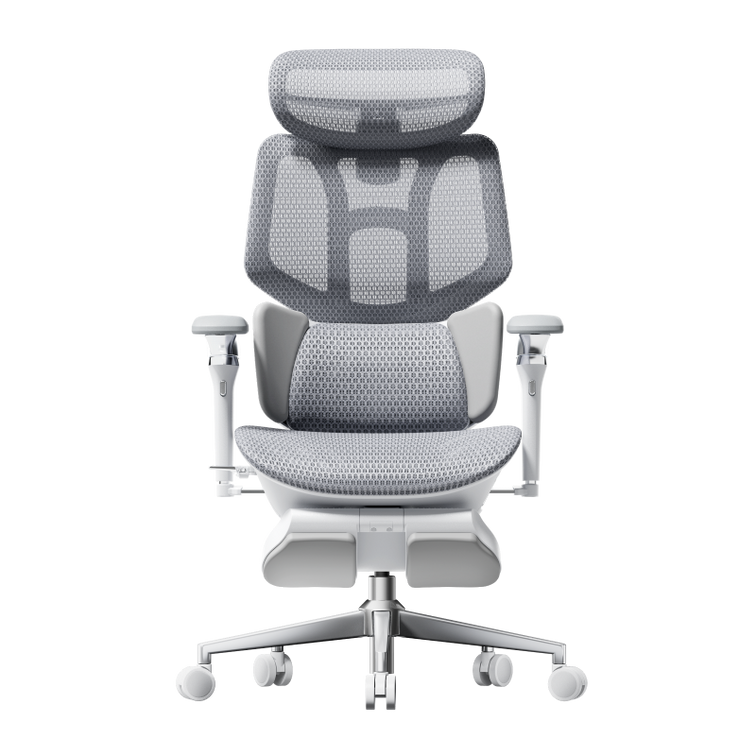
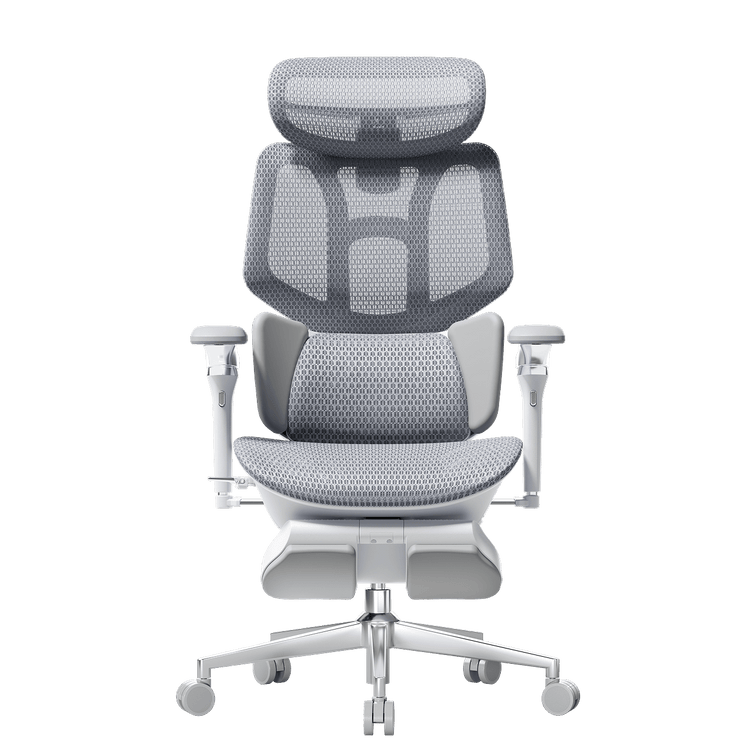
Hbada E3 Pro

Intensive Desk Work / Corporates

Premium / advanced ergonomic features, gravity-sensing recline, ultimate comfort.

best ergonomic chair with 3-zone lumbar support

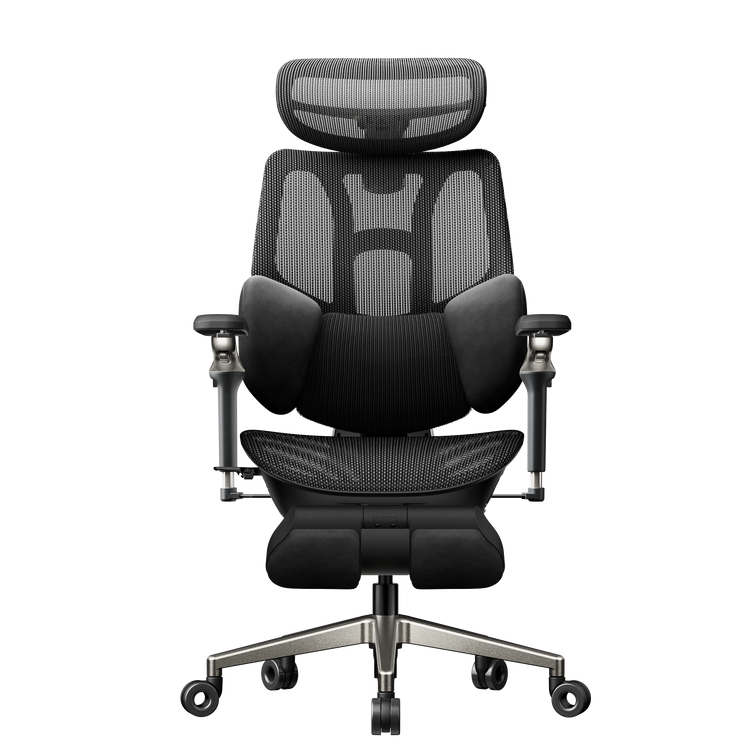
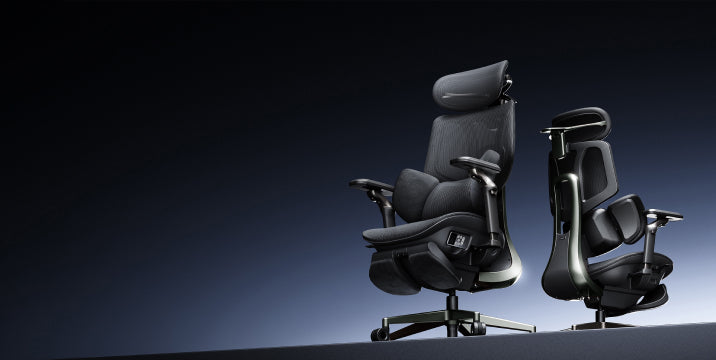
Hbada AI-Powered X7

Tech Enthusiasts / Posture Focus

Bio-synchronized tracking, real-time posture correction, AI health monitoring.

Adaptive lumbar tracking ergonomic chair


If you want to improve your posture, some new chairs give real-time feedback to help you adjust while you work. Some use smart technology to guide you, while others offer strong, multi-zone support for comfort all day. Consider which features are most important to you, like active feedback or steady support.


Frequently Asked Questions About Healthy Sitting

Q: How often should I take breaks from sitting at my desk?
A: Even with perfect posture, sitting still for extended periods restricts blood flow and stiffens your muscles. You should stand, stretch, or walk for at least five minutes every single hour.

Q: Can a high-quality chair actually correct my bad posture?
A: A chair cannot forcefully lock you into perfect posture, but it provides the necessary biomechanical foundation. An ergonomic chair gently guides your spine into proper alignment and greatly reduces the muscular effort needed to sit upright.

Q: How do I know if my chair’s lumbar support is positioned correctly?
A: Your lumbar support should fit seamlessly into the deepest inward curve of your lower back, resting just above your belt line. It should feel highly supportive but never intrusive. If it pushes your pelvis too far forward or feels too high up on your ribcage, you must adjust the height immediately.

Q: Are armrests strictly necessary for a home office chair?
A: Yes, adjustable armrests are crucial for long-term comfort. Without them, the entire weight of your arms pulls down on your delicate neck and shoulder muscles, leading to severe tension.

Q: What makes an adaptive lumbar system better than standard support?
A: Standard lumbar support is completely static; it only works when you sit perfectly still in one highly specific position. An adaptive lumbar system moves dynamically with your body.


Conclusion

Mastering your desk posture is an ongoing, vital commitment to your physical health. Improving your desk posture is important for your health, focus, and comfort at work. When you sit correctly and use supportive equipment, you can avoid pain and discomfort during your workday. Don’t accept aches and fatigue as normal. Check your workspace, make these changes, and choose an ergonomic setup that supports you.

For more information, please click to:

https://www.hbada.uk/products/hbada-e3-ergonomic-office-chair-with-footrest-white

https://www.hbada.uk/products/hbada-x7-smart-ergonomic-chair
Relevant Product

You May Also Like

How to Choose the Best Ergonomic Office Chair in the UK: 2026 Buyer’s Guide How to Choose the Best Ergonomic Office Chair in the UK: 2026 Buyer’s Guide Office work has changed a lot lately, so your chair should keep up too. By 2026, traditional office chairs just aren’t enough. Now, people want office furniture that supports their health, not just a place to sit. When you shop for a new chair, focus less on looks and more on how it supports your body over time. In this guide, I’ll show you the main features to look for in a modern ergonomic chair so you can choose wisely. Prioritize Dynamic Spinal Alignment Chairs that keep you in one position often cause that afternoon slump. When shopping for a new office chair, check if it lets you move and shift easily. If a chair keeps you locked in place, your muscles have to work harder, which can lead to the aches and pains you want to avoid. The Power of an Adaptive Lumbar Tracking Ergonomic Chair A major upgrade for 2026 is the adaptive lumbar tracking chair. This chair uses sensors to keep the lumbar support in contact with your lower back, no matter how you sit. Whether you’re leaning forward to work or leaning back to think, the support moves with you. This helps prevent the gap at your lower back, sometimes called the 'empty waist,' which often causes back pain for office workers. Why You Need a 3-Zone Dynamic Lumbar Support Chair For top ergonomic support, look for a 3-zone lumbar chair with a split-wing design. This dynamic support cushions your spine’s natural curve, while flexible side wings adjust to reduce lower lumbar strain, providing targeted relief for those who sit for over 6 hours daily. Seek Out “Total Body” Adjustability A one-size-fits-all chair doesn’t work in today’s diverse workplaces. For a healthy sitting posture, your chair should fit your height and weight. ·720° Omni-Mechanical Armrests:Your arms are heavy; without proper support, they pull directly on your neck and shoulders. The latest ergonomic armrests for shoulder relief and posture offer multi-axis rotation. This allows you to anchor your elbows, whether you are typing on a laptop, using a mobile device, or reclining at 140 °. ·4D Dual-Axis Headrests:Avoid "tech neck" by choosing a headrest that adjusts in both height and depth. A dual-axis system allows the headrest to "find" your neck, providing a hovering anchor that lets your cervical muscles fully disengage. ·Independent Seat Depth & Tilt Tension:A real ergonomic chair for computer work should have a seat slider. Adjusting the seat depth supports your thighs without cutting off blood flow at your knees. With adjustable tilt tension, you can set how much effort it takes to recline, matching the chair to your weight. ·Backrest Height Customization:Not all torsos are the same length. A height-adjustable backrest ensures the dynamic lumbar support chair features align perfectly with the small of your back, rather than sitting too high or too low. Compare the Best Ergonomic Chairs for 2026 To make your choice easier, we’ve listed the main products in our 2026 lineup. Each one is designed to solve common posture problems in today’s homes and offices. Model Primary User Benefit Core Technology Best For Hbada E3 Air Lightweight Versatility Dynamic lumbar support chair Home Office / Casual Use Hbada E3 Pro Intensive Support Best ergonomic chair with 3-zone lumbar support 8+ Hour Workdays Hbada X7 Smart AI Health Integration Adaptive lumbar tracking ergonomic chair Posture Correction / Tech-Forward   If you’re planning to spend long hours at your desk and want a chair that really supports your posture, the E3 Pro and X7 Smart models are worth a look. These go beyond being just a place to sit—they’re designed to support your back and body throughout the day. Frequently Asked Questions (FAQ) Q: How do I know if a chair is actually “ergonomic”?A: A true ergonomic chair must have at least five points of adjustment: seat height, seat depth, lumbar tension, backrest tilt, and armrest position. If a chair lacks these, it cannot be customized to your body’s unique dimensions, which is the core ergonomic posture, meaning, and benefits requirement. Q: What is the best sitting position for a herniated disc?A: You should aim for a “neutral spine” position. Keep your feet flat on the floor, knees at 90 degrees, and your lower back pressed firmly against an adaptive lumbar-tracking ergonomic chair. Avoid crossing your legs, as this tilts your pelvis and puts uneven pressure on your spinal discs. Q: Can a lightweight ergonomic chair for home office use be as good as a corporate one?A: Absolutely. Modern materials like reinforced steel and high-tensile mesh enable a lightweight, ergonomic chair for home office setups that provides the same level of industrial-grade support as heavy executive models. Look for chairs that meet BIFMA durability standards. Q: Why are armrests so important for posture?A: Properly adjusted ergonomic armrests for shoulder relief and posture take the load off your trapezius muscles. When your arms are supported, your shoulders can drop into a relaxed, natural position, which significantly reduces the risk of tension headaches and upper back pain. Conclusion Choosing the right office chair is really about looking after your long-term health. The best chairs in 2026 do more than just give you a spot to sit—they help manage your posture and keep you comfortable all day. If you focus on features like 3-zone lumbar support and adaptive tracking, you’ll set yourself up for a workspace that supports both your productivity and your well-being. With that said, don’t settle for a chair that leaves you sore or tired. Take the time to find one that fits your needs, and you’ll notice the difference every day. For more information, please click to check: https://www.hbada.uk/products/hbada-e3-ergonomic-office-chair-white https://www.hbada.uk/products/hbada-e3-ergonomic-office-chair-with-footrest-white https://www.hbada.uk/products/hbada-x7-smart-ergonomic-chair New Product Launch: HBADA E3 Air vs E3 Pro 2026 Edition — Full Breakdown New Product Launch: HBADA E3 Air vs E3 Pro 2026 Edition — Full Breakdown Introduction Picking the right ergonomic chair can be tough. Many chairs claim to be comfortable but don’t hold up during long hours of sitting. The new HBADA E3 Air and E3 Pro 2026 models address these issues with precise ergonomics, adaptive support, and a design that saves space. This guide will help you decide which model is best for you. Overview of the HBADA 2026 New Product Line In 2026, HBADA is focusing on posture correction and spinal health. They use AI-driven ergonomics and designs that move with your body. Both the E3 Air and E3 Pro offer strong lumbar support, but each is made for a different kind of user. · E3 Pro 2026: Premium performance with advanced ergonomic features · E3 Air 2026: Lightweight, compact ergonomic chair for small apartments Both chairs are made to support you during long hours at your computer. However, they differ in how adjustable they are and how much ergonomic support they offer. Core Differences at a Glance Product Comparison Table Target User Home office, students Professionals, long-hour users Lumbar System Elastic lumbar support 3-zone dynamic lumbar support chair Adjustment Level Essential adjustments Full adaptive system Armrests 4D adjustable 720° omni-adjustable armrests chair Weight & Size Lightweight, compact Larger, premium build Smart Features Manual + assisted Adaptive lumbar tracking ergonomic chair Best Use Small apartments Long sitting duration (6–10 hours) Lumbar Support Technology Breakdown E3 Pro — 3-Zone Dynamic Precision The E3 Pro stands out for its 3-zone lumbar support system, which means it provides targeted support for your upper, middle, and lower back. This approach helps keep your spine aligned throughout the day rather than focusing on just one area. Key benefits: · Continuous spinal alignment · Reduced lower back pressure · Adaptive response to posture shifts With that said, the E3 Pro is a great choice if you spend 8+ hours at your desk each day, such as remote workers or professionals who need reliable support for extended periods. E3 Air — Essential Ergonomic Support The E3 Air takes a simpler approach. Instead of multiple adjustment zones, it uses elastic lumbar support to help you maintain good posture without fiddling with many settings. It performs well for: · Short to medium work sessions · Students and remote workers · Users who prefer minimal setup Armrest Engineering and Upper Body Support 720° Omni-Adjustable Armrests (E3 Pro) The E3 Pro features a 720° omni-adjustable armrest chair system. This allows: · Vertical, horizontal, and rotational movement · Precise elbow positioning · Reduced shoulder tension These ergonomic armrests are especially helpful for reducing shoulder tension and maintaining proper posture, which can make a big difference when you’re typing or using a mouse for hours at a time. Functional Armrests (E3 Air) The E3 Air includes 4D adjustable armrests. While less complex, they still support: · Basic height and depth adjustment · Comfortable typing posture · Balanced arm positioning If you want a practical chair that lets you adjust your armrests for comfortable typing, the E3 Air covers the basics without making things complicated. Space Efficiency and Design Philosophy Compact Ergonomic Chair for Small Apartments If you don’t have much space, the E3 Air has a small footprint. It’s easy to slide under most desks and move around in tight rooms. · Easy placement under desks · Better mobility in limited rooms · Reduced visual clutter If you live in a U.S. apartment with limited space, this model fits seamlessly into your setup. Premium Structure for Stability (E3 Pro) The E3 Pro prioritizes performance over compactness. Its structure supports: · Enhanced durability · Full-body ergonomic alignment · Stability during reclining The E3 Pro is better if you have a dedicated home office or workspace with enough room for a larger, sturdier chair. Smart Ergonomics and Adaptive Technology Adaptive Lumbar Tracking (E3 Pro) The E3 Pro introduces adaptive lumbar tracking ergonomic chair technology. It automatically adjusts based on your posture. This results in: · Continuous support without manual changes · Improved posture correction and spinal health · Reduced fatigue over long sessions Assisted Ergonomics (E3 Air) The E3 Air, by comparison, relies on manual adjustments. While it doesn’t have the same level of automation, you can still get solid ergonomic support as long as you take a few minutes to set it up to fit your body. Which Is the Best Ergonomic Chair for Your Needs? Choose E3 Pro If You Need: · The best ergonomic chair for long hours · Advanced posture correction · Premium / advanced ergonomic features · Full adjustability and automation This model is built for users who prioritize performance and long-term spinal health. Choose E3 Air If You Need: · A compact ergonomic chair for small apartments · Lightweight and easy-to-move design · Reliable ergonomic support without complexity · A straightforward solution for your home and office  Practical Setup Tips for Maximum Benefit To get the most from either chair: · Adjust the seat height so your feet stay flat on the floor. · Align lumbar support with your lower back. · Set armrests to keep elbows at 90 degrees. · Position your screen at eye level. Following these steps will help you get the most out of your chair and maintain proper posture, no matter which model you choose. Common Buying Mistakes to Avoid · Choosing based on appearance instead of ergonomics · Ignoring lumbar support quality · Overlooking armrest adjustability · Buying oversized chairs for small spaces · Not adjusting the chair after purchase. Even the best chair will fail if improperly selected or configured. FAQ Q: What is the main difference between HBADA E3 Air vs E3 Pro? A: The E3 Pro offers advanced features such as 3-zone lumbar support and adaptive tracking, while the E3 Air focuses on simplicity and a compact design. The Pro is better for long hours, while the Air suits smaller spaces and lighter use. Q: Is the E3 Pro worth it for long sitting durations? A: Yes. Its adaptive lumbar system and advanced adjustability provide continuous support. This reduces fatigue and improves posture during extended work sessions, making it suitable for users who sit for 6–10 hours daily. Q: Which chair is better for small apartments? A: The E3 Air is the better choice. Its compact design and lightweight structure make it ideal for limited spaces while still delivering reliable ergonomic support. Q: Do both chairs support proper posture? A: Yes. Both models are designed as ergonomic chairs for a correct sitting posture. The difference lies in the support system's level of advancement, with the E3 Pro offering more dynamic adjustments. Conclusion The new launch of the HABADA E3 Air vs E3 Pro 2026 delivers two clear paths. One focuses on compact efficiency, the other on advanced ergonomic precision. If you value simplicity and need to make the most of a small space, the E3 Air is a solid pick. On the other hand, if you’re after maximum support for long workdays, the E3 Pro is worth considering. Ultimately, think about your daily routine and how you actually use your chair-choosing based on your habits will help you get the most comfort and value out of your investment. For more information, please click to check: https://www.hbada.uk/products/hbada-e3-ergonomic-office-chair-white https://www.hbada.uk/products/hbada-e3-ergonomic-office-chair-with-footrest-white Are You at Risk of a Herniated Disc? How Your Chair Could Be the Cause Are You at Risk of a Herniated Disc? How Your Chair Could Be the Cause Sitting all day at work shouldn’t be risky, but for many people, it is. If you feel sharp pains or a dull ache in your lower back, your chair could be to blame. Learning how your workstation affects your spine is the first step to feeling better. Here’s how your chair can impact your discs and what you can do about it.   The Hidden Connection Between Sitting and Spinal Health People often ask if office chairs can cause herniated discs. The answer is yes. While a chair doesn’t cause the injury right away, a poorly designed chair can set the stage for spinal problems. Sitting in a chair without good support flattens your spine’s natural S-shape into a C-shape, putting uneven pressure on your discs. Understanding Spinal Compression from Sitting When you sit still for hours, your spine gets compressed. This pressure pushes fluid out of your spinal discs, making them dry and more likely to tear. Over time, this ongoing stress can cause the soft center of a disc to bulge or leak, pressing on sensitive nerves and causing a herniation. The Dangers of Bad Posture and Herniated Discs Orthopedic specialists have shown that poor posture is closely linked to herniated discs. Slouching or sitting on the edge of your seat puts up to 150% more pressure on your lower back than standing. If you already feel a twinge, sitting without good support can turn a small problem into a serious one.   Identifying the Signs: Is Your Chair Causing Lower Back Pain? If you find yourself constantly shifting, stretching, or standing up to escape discomfort, you are likely using a chair that causes lower back pain. This discomfort is your body’s early warning system. From Aches to Sciatica If you ignore back fatigue, it can turn into nerve problems like radiculopathy. Many people look for office chairs that relieve sciatica because their current chair puts pressure on the sciatic nerve. This can cause numbness, tingling, or a sharp, shooting feeling down your leg. Without proper lumbar support, your lower back takes all the weight, which can lead to these symptoms.   The Solution: Engineering Support for a Healthy Spine To protect your back, you need more than a simple cushion. At Hbada, we focus on Bio-Synchronization, which means designing chairs that move with your body. The Power of an Adaptive Lumbar Tracking Ergonomic Chair A regular chair only supports you if you sit completely still, but work involves movement. An adaptive lumbar tracking ergonomic chair has a backrest that moves with your spine. Whether you lean forward or recline, the support stays in place, helping keep your lower back supported and closing the gap that can cause injuries. Benefits of a 3-Zone Dynamic Lumbar Support Chair If you already have back pain, a dynamic lumbar support chair can make a big difference. A 3-zone lumbar support chair gives targeted relief: the middle zone supports your spine, and the side zones support your waist muscles. This spreads your weight out, reducing pressure on any one disc and helping your back stay healthy over time.   Mastering Your Workday: How to Sit with a Herniated Disc If you already have a back injury, it’s important to set up your workspace carefully. Knowing how to sit at your desk with a herniated disc can help you avoid more pain and recover faster. What is the Best Sitting Position for a Herniated Disc? When people ask, “What is the best sitting position for a herniated disc?” we suggest the Neutral Reach position. Line up your ears, shoulders, and hips vertically. Keep your feet flat on the floor and your knees just below your hips. This helps open your pelvis and lowers pressure on your spinal discs. Does Lumbar Support Help a Herniated Disc? You might wonder, “Does lumbar support help a herniated disc?” The answer is yes. Good support works like a brace for your spine. It maintains the natural curve of your lower back, spreading your weight evenly across the disc rather than putting pressure on the edges where herniations often occur.   Choosing the Right Hbada Chair for Spinal Protection We have developed a range of chairs designed specifically for proper sitting posture for office workers with back pain. Use the table below to find the best fit for your specific needs. Feature Hbada E3 Hbada E3 Pro Hbada AI-Powered Primary Focus Daily Comfort Advanced Pain Relief Maximum Posture Correction Lumbar Tech Dynamic Support 3-Zone Support AI Bio-Synchronized Ideal For General Office Work Existing Back Pain Office chair sciatica relief Adjustment 4D Armrests 5D Armrests + Leg Rest Fully Automated Tracking When you use an ergonomic chair to improve your posture, you go from just managing pain to actively preventing injuries. Our AI-powered chairs can even remind you to move if you’ve been sitting too long, helping keep your discs healthy.   Frequently Asked Questions (FAQ) Q: Can a good chair really fix a herniated disc?A: A chair won’t cure a herniated disc, but it’s an important part of recovery. An ergonomic chair lowers the stress on your discs each day, which helps inflammation go down. Without good support, you might keep hurting your disc every time you sit at your desk. Q: How do I know if my lumbar support is in the right place?A: The lumbar support should fit comfortably in the small of your back, just above your belt. It should feel like a firm hand supporting your spine, helping you sit upright without straining your muscles. If it pushes against your ribs, it’s set too high. Q: Why does my back hurt more in a “comfy” plush chair?A: Soft, plush chairs usually don’t give enough support. They let your pelvis tilt backward, causing your spine to slouch. This slumping puts more pressure on your discs than a firm, supportive ergonomic chair, which keeps your body in the right position. Q: How often should I adjust my chair settings?A: Adjust your chair whenever you switch tasks. For example, if you go from typing to a long video call, you should also change your recline and lumbar support. Our adaptive lumbar tracking chair makes this easy by adjusting automatically for you.   Conclusion A herniated disc is a serious condition, but it is often preventable with good habits and the right equipment. Your chair is a key part of your work life, so make sure it supports you. Choosing a chair with active, 3-zone support and bio-synchronized movement helps protect your spine for the long term. Don’t wait for the pain to get worse. Invest in your health now. For more information, please click here: https://www.hbada.uk/products/hbada-e3-ergonomic-office-chair-with-footrest-white https://www.hbada.uk/products/hbada-x7-smart-ergonomic-chair