
Blog

What Is the Best Office Chair for Herniated Disc & Lower Back Pain?

What Is the Best Office Chair for Herniated Disc & Lower Back Pain?

A herniated disc can turn a regular eight-hour workday into a real challenge. When the soft center of a spinal disc pushes through its outer layer, it can press on nerves and cause pain or numbness. Medical treatment is important, but your chair also plays a big role in how much stress your spine faces each day. Choosing the right office chair for herniated disc support is not just about comfort. It is about helping your spine decompress and stay properly aligned.


Understanding the Impact of Sitting on Spinal Discs

Sitting puts more pressure on your spinal discs than standing or walking does. If you already have a disc injury, a bad chair can make things worse. For healing, your spine needs a neutral position where pressure is evenly distributed, not focused on the injured area.

Chair Features That Reduce Spinal Compression

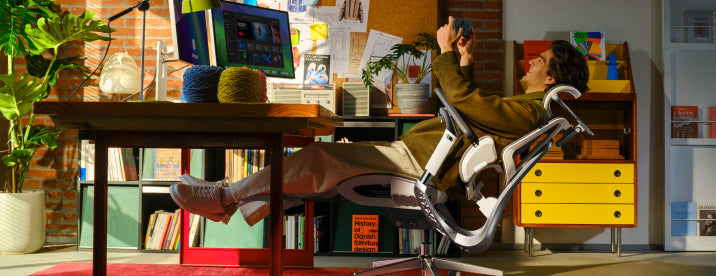
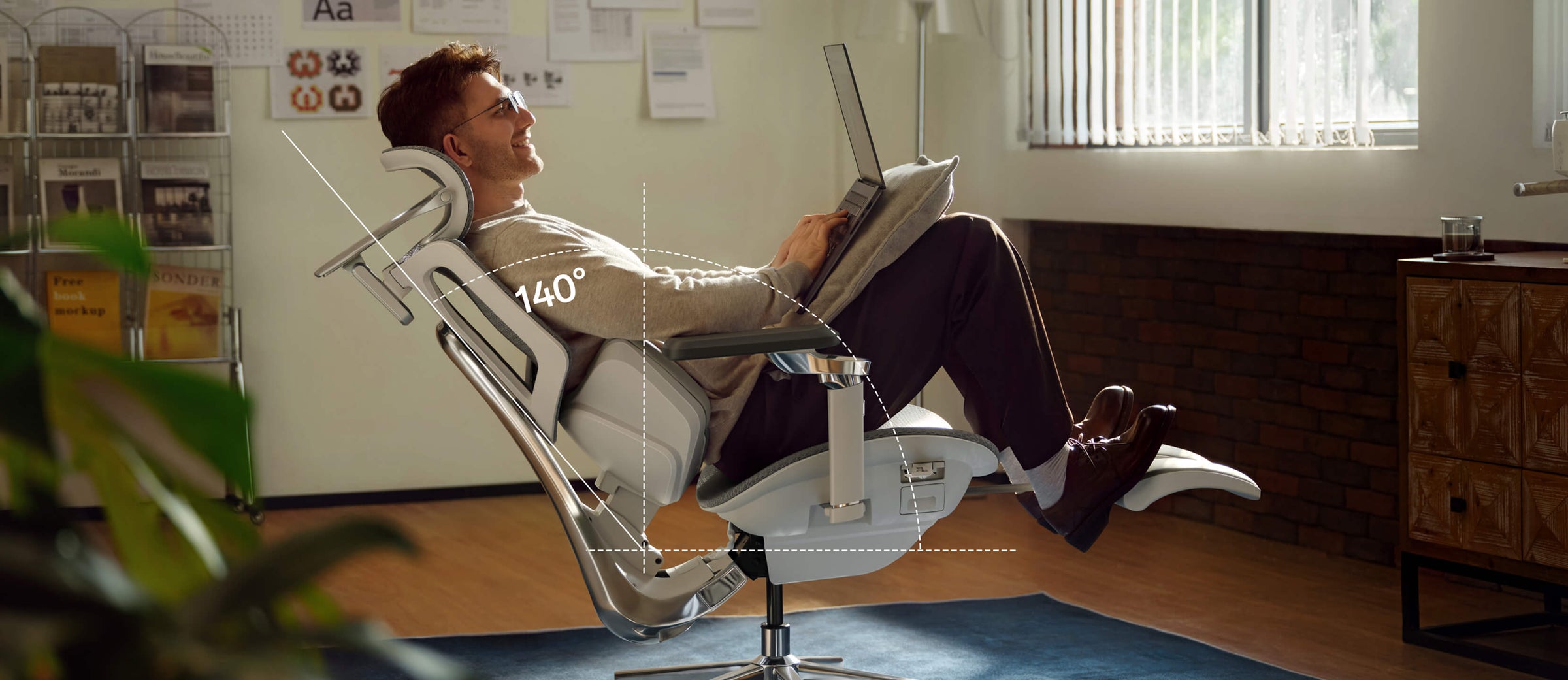
To reduce back pain while sitting at work, look for chairs that distribute pressure evenly across your spine. The key feature is a backrest that moves with you, allowing small adjustments. A stiff chair keeps your spine still, limiting blood flow and preventing your discs from rehydrating. Choose chairs with good gas lifts and recline features that let you lean back a bit. Sitting at a 100- to 110-degree angle helps take pressure off your lower back.

Lumbar Support vs. No Lumbar Support for Back Pain

In the debate of lumbar support vs no lumbar support for back pain, the science is clear: the human spine has a natural inward curve called lordosis. Without support, your back eventually flattens against the chair, causing the discs to bulge outward. An ergonomic office chair with lumbar support for back pain fills this gap, maintaining the natural curve and ensuring that the weight of your upper body is supported by the chair’s structure rather than your sensitive spinal nerves.


Master the Best Sitting Position for a Herniated Disc at the Computer

Even the best chair works best when you know how to sit properly. Learning the right way to sit with a herniated disc is key to long-term recovery.

The Foundation of Proper Alignment

The right sitting position for a herniated disc starts with your feet flat on the floor to keep your pelvis steady. Your knees should be bent to 90 degrees, slightly below your hips. This open hip angle helps keep your lower back’s natural curve. Make sure your monitor is at eye level to avoid neck strain, which can strain your upper and lower back.

Refining Your Daily Habits

The best sitting posture for a herniated disc in office work involves “active sitting.” This means you should shift your position frequently and utilize the full depth of your seat. Ensure your lower back is always in contact with the lumbar pad. If you feel yourself slouching forward, your chair’s seat depth might be too long. A proper ergonomic chair setup for herniated disc support allows for 2 fingers' width between the seat edge and the backs of your knees.

Why Hbada Technology Is the Solution for Back Pain

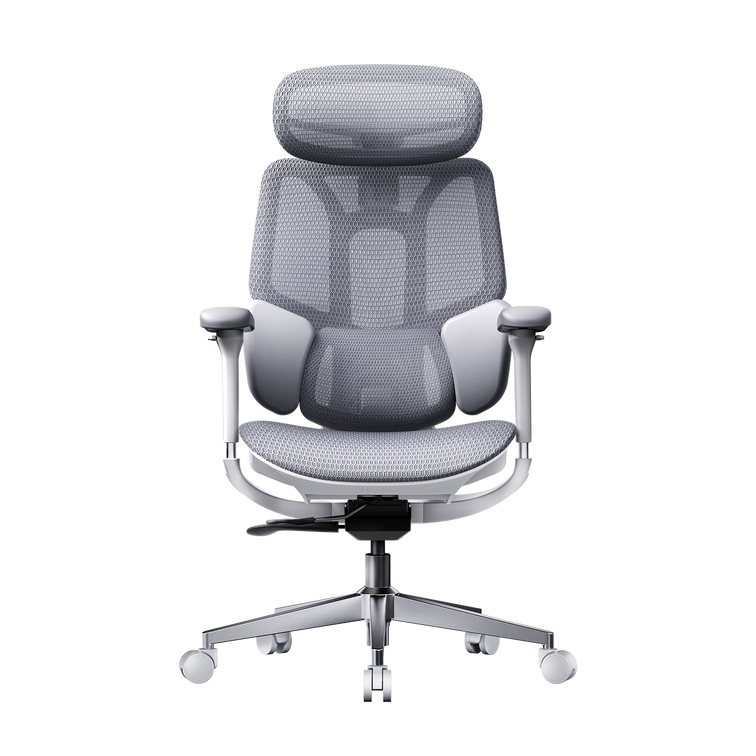
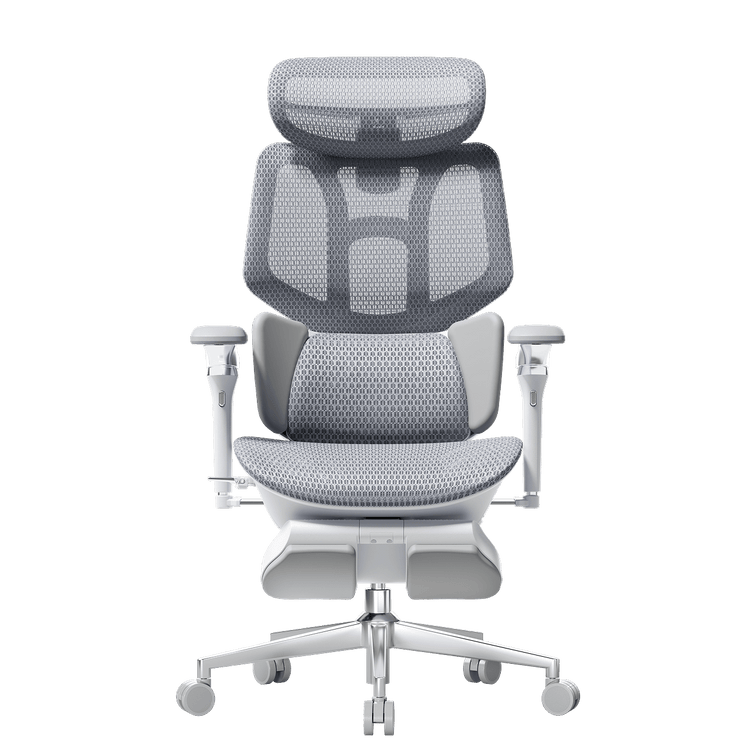
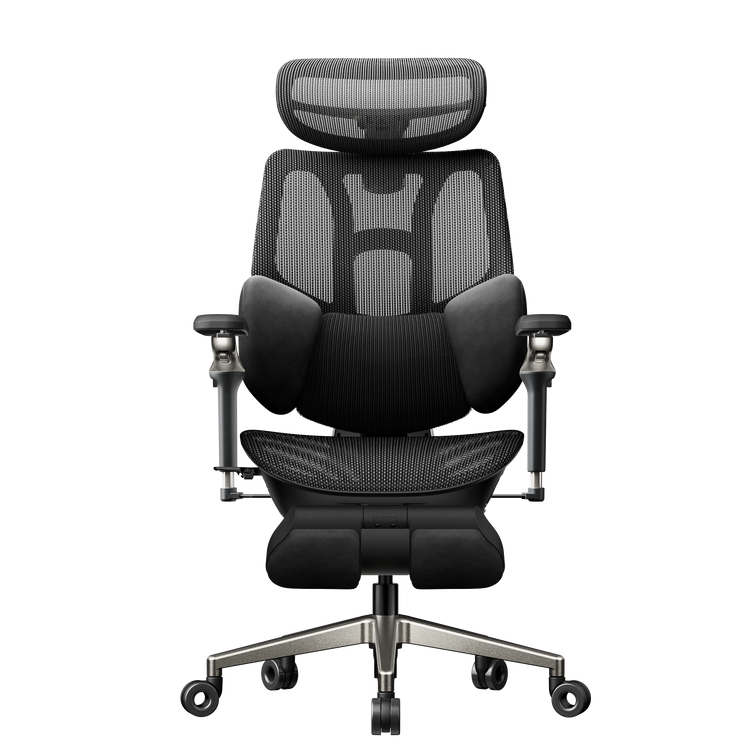
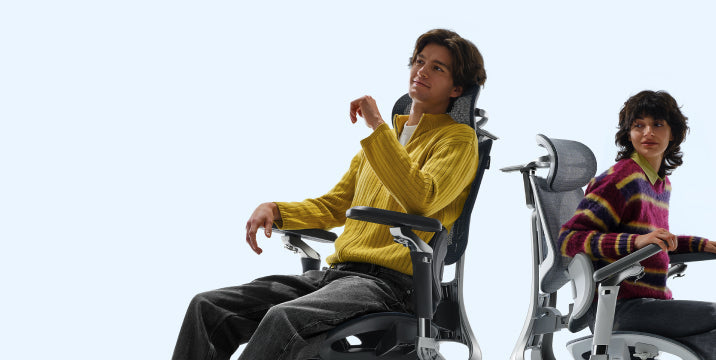
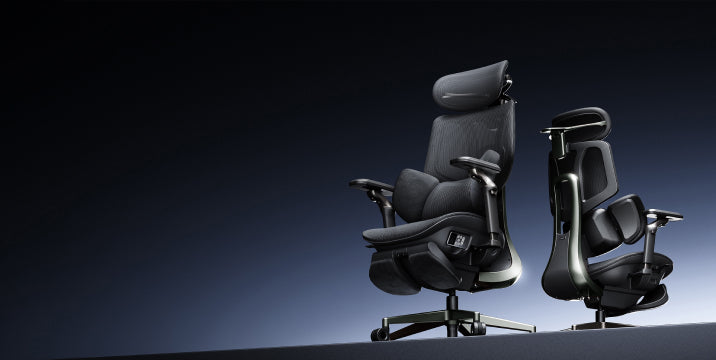
At Hbada, we focus on making chairs that move with your body. Our 'Bio-Synchronized' seating is designed to support you as you move. When you look for the best ergonomic chair for lower back pain, our chairs stand out because they address the main cause of pain: constant pressure.

How Lumbar Support Helps Lower Back Pain

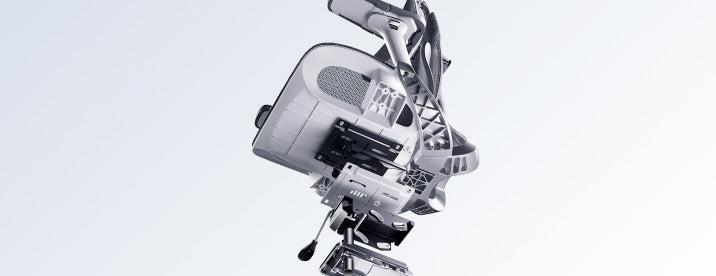
You may ask how lumbar support helps with lower back pain from disc problems. Our adaptive tracking technology moves with you as you lean. Unlike fixed supports, our 3-zone dynamic system follows your spine. So whether you are typing or leaning back, your lower back is always supported. This steady support acts like a brace, taking pressure off the disc and letting your muscles relax.

The Role of Armrests in Spinal Health

Many people forget that their arms are heavy. Without support, your shoulders pull forward, which rounds your back and compresses your spine. A premium ergonomic chair with full-arm support adjustment lets you bring the armrests close to your body. This helps support the weight of your upper limbs, preventing the downward pull that can aggravate a herniated disc. Our 5D and 720° armrest systems ensure that no matter how you work, your shoulders remain neutral.


Comparison of Hbada Ergonomic Solutions

The right chair for you depends on the level of pain you have and your daily work routine. Here is how our main models help support your spine.

Model

Primary Technology

Best For

Support Level

Hbada E3 Air

Dynamic Lumbar Tracking

Daily Prevention

High

Hbada E3 Pro

3-Zone Dynamic Support

Chronic Lower Back Pain

Professional

Hbada AI-Powered

Bio-Synchronized AI

Herniated Disc Recovery

Ultimate


The Hbada E3 Pro is often considered our best chair for lower back pain because its 3-zone support wraps around your lower back and stabilizes it from multiple angles. If you are recovering, our AI-Powered series offers real-time posture correction to help you avoid bad sitting habits. 


Frequently Asked Questions (FAQ)

Q: Can a new office chair heal a herniated disc?
A: A chair cannot cure a herniated disc, but it is an important part of your recovery. Using the right office chair for herniated disc support lowers the daily stress on your spine and helps your disc heal. It also helps break the cycle of reinjury caused by poor posture.

Q: How often should I take breaks if I have a disc injury?
A: Even if you have a top ergonomic chair with adjustable armrests, you should stand up every 30 to 45 minutes. Moving around helps spinal fluid flow, which brings nutrients to your discs. Use your chair’s recline feature often to shift pressure on your back.

Q: Is a hard or soft seat better for lower back pain?
A: A medium-firm seat is usually best. If a seat is too soft, your pelvis tilts backward, which flattens your lower back and puts more pressure on your discs. A firm, shaped seat keeps your pelvis in a good position and works well with your ergonomic chair for herniated disc support.

Q: Why does my pain get worse at the end of the day?
A: This usually happens because of postural fatigue. As your muscles get tired, you start to slouch. This is when lumbar support really helps. The chair keeps your spine in line even when your muscles are tired.


Conclusion

A herniated disc does not have to stop you from being productive. By using the right sitting position and an orthopedically designed chair, you can reclaim your workday. Your spine is the base of your health, so do not let a basic chair put it at risk. Choose a chair with active tracking, 3-zone support, and full adjustability. Try an Hbada ergonomic chair today and feel the relief of real support.

For more information, please click here:

https://www.hbada.uk/products/hbada-e3-ergonomic-office-chair-with-footrest-white

https://www.hbada.uk/products/hbada-x7-smart-ergonomic-chair
Relevant Product

You May Also Like

How to Choose the Best Ergonomic Office Chair in the UK: 2026 Buyer’s Guide How to Choose the Best Ergonomic Office Chair in the UK: 2026 Buyer’s Guide Office work has changed a lot lately, so your chair should keep up too. By 2026, traditional office chairs just aren’t enough. Now, people want office furniture that supports their health, not just a place to sit. When you shop for a new chair, focus less on looks and more on how it supports your body over time. In this guide, I’ll show you the main features to look for in a modern ergonomic chair so you can choose wisely. Prioritize Dynamic Spinal Alignment Chairs that keep you in one position often cause that afternoon slump. When shopping for a new office chair, check if it lets you move and shift easily. If a chair keeps you locked in place, your muscles have to work harder, which can lead to the aches and pains you want to avoid. The Power of an Adaptive Lumbar Tracking Ergonomic Chair A major upgrade for 2026 is the adaptive lumbar tracking chair. This chair uses sensors to keep the lumbar support in contact with your lower back, no matter how you sit. Whether you’re leaning forward to work or leaning back to think, the support moves with you. This helps prevent the gap at your lower back, sometimes called the 'empty waist,' which often causes back pain for office workers. Why You Need a 3-Zone Dynamic Lumbar Support Chair For top ergonomic support, look for a 3-zone lumbar chair with a split-wing design. This dynamic support cushions your spine’s natural curve, while flexible side wings adjust to reduce lower lumbar strain, providing targeted relief for those who sit for over 6 hours daily. Seek Out “Total Body” Adjustability A one-size-fits-all chair doesn’t work in today’s diverse workplaces. For a healthy sitting posture, your chair should fit your height and weight. ·720° Omni-Mechanical Armrests:Your arms are heavy; without proper support, they pull directly on your neck and shoulders. The latest ergonomic armrests for shoulder relief and posture offer multi-axis rotation. This allows you to anchor your elbows, whether you are typing on a laptop, using a mobile device, or reclining at 140 °. ·4D Dual-Axis Headrests:Avoid "tech neck" by choosing a headrest that adjusts in both height and depth. A dual-axis system allows the headrest to "find" your neck, providing a hovering anchor that lets your cervical muscles fully disengage. ·Independent Seat Depth & Tilt Tension:A real ergonomic chair for computer work should have a seat slider. Adjusting the seat depth supports your thighs without cutting off blood flow at your knees. With adjustable tilt tension, you can set how much effort it takes to recline, matching the chair to your weight. ·Backrest Height Customization:Not all torsos are the same length. A height-adjustable backrest ensures the dynamic lumbar support chair features align perfectly with the small of your back, rather than sitting too high or too low. Compare the Best Ergonomic Chairs for 2026 To make your choice easier, we’ve listed the main products in our 2026 lineup. Each one is designed to solve common posture problems in today’s homes and offices. Model Primary User Benefit Core Technology Best For Hbada E3 Air Lightweight Versatility Dynamic lumbar support chair Home Office / Casual Use Hbada E3 Pro Intensive Support Best ergonomic chair with 3-zone lumbar support 8+ Hour Workdays Hbada X7 Smart AI Health Integration Adaptive lumbar tracking ergonomic chair Posture Correction / Tech-Forward   If you’re planning to spend long hours at your desk and want a chair that really supports your posture, the E3 Pro and X7 Smart models are worth a look. These go beyond being just a place to sit—they’re designed to support your back and body throughout the day. Frequently Asked Questions (FAQ) Q: How do I know if a chair is actually “ergonomic”?A: A true ergonomic chair must have at least five points of adjustment: seat height, seat depth, lumbar tension, backrest tilt, and armrest position. If a chair lacks these, it cannot be customized to your body’s unique dimensions, which is the core ergonomic posture, meaning, and benefits requirement. Q: What is the best sitting position for a herniated disc?A: You should aim for a “neutral spine” position. Keep your feet flat on the floor, knees at 90 degrees, and your lower back pressed firmly against an adaptive lumbar-tracking ergonomic chair. Avoid crossing your legs, as this tilts your pelvis and puts uneven pressure on your spinal discs. Q: Can a lightweight ergonomic chair for home office use be as good as a corporate one?A: Absolutely. Modern materials like reinforced steel and high-tensile mesh enable a lightweight, ergonomic chair for home office setups that provides the same level of industrial-grade support as heavy executive models. Look for chairs that meet BIFMA durability standards. Q: Why are armrests so important for posture?A: Properly adjusted ergonomic armrests for shoulder relief and posture take the load off your trapezius muscles. When your arms are supported, your shoulders can drop into a relaxed, natural position, which significantly reduces the risk of tension headaches and upper back pain. Conclusion Choosing the right office chair is really about looking after your long-term health. The best chairs in 2026 do more than just give you a spot to sit—they help manage your posture and keep you comfortable all day. If you focus on features like 3-zone lumbar support and adaptive tracking, you’ll set yourself up for a workspace that supports both your productivity and your well-being. With that said, don’t settle for a chair that leaves you sore or tired. Take the time to find one that fits your needs, and you’ll notice the difference every day. For more information, please click to check: https://www.hbada.uk/products/hbada-e3-ergonomic-office-chair-white https://www.hbada.uk/products/hbada-e3-ergonomic-office-chair-with-footrest-white https://www.hbada.uk/products/hbada-x7-smart-ergonomic-chair New Product Launch: HBADA E3 Air vs E3 Pro 2026 Edition — Full Breakdown New Product Launch: HBADA E3 Air vs E3 Pro 2026 Edition — Full Breakdown Introduction Picking the right ergonomic chair can be tough. Many chairs claim to be comfortable but don’t hold up during long hours of sitting. The new HBADA E3 Air and E3 Pro 2026 models address these issues with precise ergonomics, adaptive support, and a design that saves space. This guide will help you decide which model is best for you. Overview of the HBADA 2026 New Product Line In 2026, HBADA is focusing on posture correction and spinal health. They use AI-driven ergonomics and designs that move with your body. Both the E3 Air and E3 Pro offer strong lumbar support, but each is made for a different kind of user. · E3 Pro 2026: Premium performance with advanced ergonomic features · E3 Air 2026: Lightweight, compact ergonomic chair for small apartments Both chairs are made to support you during long hours at your computer. However, they differ in how adjustable they are and how much ergonomic support they offer. Core Differences at a Glance Product Comparison Table Target User Home office, students Professionals, long-hour users Lumbar System Elastic lumbar support 3-zone dynamic lumbar support chair Adjustment Level Essential adjustments Full adaptive system Armrests 4D adjustable 720° omni-adjustable armrests chair Weight & Size Lightweight, compact Larger, premium build Smart Features Manual + assisted Adaptive lumbar tracking ergonomic chair Best Use Small apartments Long sitting duration (6–10 hours) Lumbar Support Technology Breakdown E3 Pro — 3-Zone Dynamic Precision The E3 Pro stands out for its 3-zone lumbar support system, which means it provides targeted support for your upper, middle, and lower back. This approach helps keep your spine aligned throughout the day rather than focusing on just one area. Key benefits: · Continuous spinal alignment · Reduced lower back pressure · Adaptive response to posture shifts With that said, the E3 Pro is a great choice if you spend 8+ hours at your desk each day, such as remote workers or professionals who need reliable support for extended periods. E3 Air — Essential Ergonomic Support The E3 Air takes a simpler approach. Instead of multiple adjustment zones, it uses elastic lumbar support to help you maintain good posture without fiddling with many settings. It performs well for: · Short to medium work sessions · Students and remote workers · Users who prefer minimal setup Armrest Engineering and Upper Body Support 720° Omni-Adjustable Armrests (E3 Pro) The E3 Pro features a 720° omni-adjustable armrest chair system. This allows: · Vertical, horizontal, and rotational movement · Precise elbow positioning · Reduced shoulder tension These ergonomic armrests are especially helpful for reducing shoulder tension and maintaining proper posture, which can make a big difference when you’re typing or using a mouse for hours at a time. Functional Armrests (E3 Air) The E3 Air includes 4D adjustable armrests. While less complex, they still support: · Basic height and depth adjustment · Comfortable typing posture · Balanced arm positioning If you want a practical chair that lets you adjust your armrests for comfortable typing, the E3 Air covers the basics without making things complicated. Space Efficiency and Design Philosophy Compact Ergonomic Chair for Small Apartments If you don’t have much space, the E3 Air has a small footprint. It’s easy to slide under most desks and move around in tight rooms. · Easy placement under desks · Better mobility in limited rooms · Reduced visual clutter If you live in a U.S. apartment with limited space, this model fits seamlessly into your setup. Premium Structure for Stability (E3 Pro) The E3 Pro prioritizes performance over compactness. Its structure supports: · Enhanced durability · Full-body ergonomic alignment · Stability during reclining The E3 Pro is better if you have a dedicated home office or workspace with enough room for a larger, sturdier chair. Smart Ergonomics and Adaptive Technology Adaptive Lumbar Tracking (E3 Pro) The E3 Pro introduces adaptive lumbar tracking ergonomic chair technology. It automatically adjusts based on your posture. This results in: · Continuous support without manual changes · Improved posture correction and spinal health · Reduced fatigue over long sessions Assisted Ergonomics (E3 Air) The E3 Air, by comparison, relies on manual adjustments. While it doesn’t have the same level of automation, you can still get solid ergonomic support as long as you take a few minutes to set it up to fit your body. Which Is the Best Ergonomic Chair for Your Needs? Choose E3 Pro If You Need: · The best ergonomic chair for long hours · Advanced posture correction · Premium / advanced ergonomic features · Full adjustability and automation This model is built for users who prioritize performance and long-term spinal health. Choose E3 Air If You Need: · A compact ergonomic chair for small apartments · Lightweight and easy-to-move design · Reliable ergonomic support without complexity · A straightforward solution for your home and office  Practical Setup Tips for Maximum Benefit To get the most from either chair: · Adjust the seat height so your feet stay flat on the floor. · Align lumbar support with your lower back. · Set armrests to keep elbows at 90 degrees. · Position your screen at eye level. Following these steps will help you get the most out of your chair and maintain proper posture, no matter which model you choose. Common Buying Mistakes to Avoid · Choosing based on appearance instead of ergonomics · Ignoring lumbar support quality · Overlooking armrest adjustability · Buying oversized chairs for small spaces · Not adjusting the chair after purchase. Even the best chair will fail if improperly selected or configured. FAQ Q: What is the main difference between HBADA E3 Air vs E3 Pro? A: The E3 Pro offers advanced features such as 3-zone lumbar support and adaptive tracking, while the E3 Air focuses on simplicity and a compact design. The Pro is better for long hours, while the Air suits smaller spaces and lighter use. Q: Is the E3 Pro worth it for long sitting durations? A: Yes. Its adaptive lumbar system and advanced adjustability provide continuous support. This reduces fatigue and improves posture during extended work sessions, making it suitable for users who sit for 6–10 hours daily. Q: Which chair is better for small apartments? A: The E3 Air is the better choice. Its compact design and lightweight structure make it ideal for limited spaces while still delivering reliable ergonomic support. Q: Do both chairs support proper posture? A: Yes. Both models are designed as ergonomic chairs for a correct sitting posture. The difference lies in the support system's level of advancement, with the E3 Pro offering more dynamic adjustments. Conclusion The new launch of the HABADA E3 Air vs E3 Pro 2026 delivers two clear paths. One focuses on compact efficiency, the other on advanced ergonomic precision. If you value simplicity and need to make the most of a small space, the E3 Air is a solid pick. On the other hand, if you’re after maximum support for long workdays, the E3 Pro is worth considering. Ultimately, think about your daily routine and how you actually use your chair-choosing based on your habits will help you get the most comfort and value out of your investment. For more information, please click to check: https://www.hbada.uk/products/hbada-e3-ergonomic-office-chair-white https://www.hbada.uk/products/hbada-e3-ergonomic-office-chair-with-footrest-white Are You at Risk of a Herniated Disc? How Your Chair Could Be the Cause Are You at Risk of a Herniated Disc? How Your Chair Could Be the Cause Sitting all day at work shouldn’t be risky, but for many people, it is. If you feel sharp pains or a dull ache in your lower back, your chair could be to blame. Learning how your workstation affects your spine is the first step to feeling better. Here’s how your chair can impact your discs and what you can do about it.   The Hidden Connection Between Sitting and Spinal Health People often ask if office chairs can cause herniated discs. The answer is yes. While a chair doesn’t cause the injury right away, a poorly designed chair can set the stage for spinal problems. Sitting in a chair without good support flattens your spine’s natural S-shape into a C-shape, putting uneven pressure on your discs. Understanding Spinal Compression from Sitting When you sit still for hours, your spine gets compressed. This pressure pushes fluid out of your spinal discs, making them dry and more likely to tear. Over time, this ongoing stress can cause the soft center of a disc to bulge or leak, pressing on sensitive nerves and causing a herniation. The Dangers of Bad Posture and Herniated Discs Orthopedic specialists have shown that poor posture is closely linked to herniated discs. Slouching or sitting on the edge of your seat puts up to 150% more pressure on your lower back than standing. If you already feel a twinge, sitting without good support can turn a small problem into a serious one.   Identifying the Signs: Is Your Chair Causing Lower Back Pain? If you find yourself constantly shifting, stretching, or standing up to escape discomfort, you are likely using a chair that causes lower back pain. This discomfort is your body’s early warning system. From Aches to Sciatica If you ignore back fatigue, it can turn into nerve problems like radiculopathy. Many people look for office chairs that relieve sciatica because their current chair puts pressure on the sciatic nerve. This can cause numbness, tingling, or a sharp, shooting feeling down your leg. Without proper lumbar support, your lower back takes all the weight, which can lead to these symptoms.   The Solution: Engineering Support for a Healthy Spine To protect your back, you need more than a simple cushion. At Hbada, we focus on Bio-Synchronization, which means designing chairs that move with your body. The Power of an Adaptive Lumbar Tracking Ergonomic Chair A regular chair only supports you if you sit completely still, but work involves movement. An adaptive lumbar tracking ergonomic chair has a backrest that moves with your spine. Whether you lean forward or recline, the support stays in place, helping keep your lower back supported and closing the gap that can cause injuries. Benefits of a 3-Zone Dynamic Lumbar Support Chair If you already have back pain, a dynamic lumbar support chair can make a big difference. A 3-zone lumbar support chair gives targeted relief: the middle zone supports your spine, and the side zones support your waist muscles. This spreads your weight out, reducing pressure on any one disc and helping your back stay healthy over time.   Mastering Your Workday: How to Sit with a Herniated Disc If you already have a back injury, it’s important to set up your workspace carefully. Knowing how to sit at your desk with a herniated disc can help you avoid more pain and recover faster. What is the Best Sitting Position for a Herniated Disc? When people ask, “What is the best sitting position for a herniated disc?” we suggest the Neutral Reach position. Line up your ears, shoulders, and hips vertically. Keep your feet flat on the floor and your knees just below your hips. This helps open your pelvis and lowers pressure on your spinal discs. Does Lumbar Support Help a Herniated Disc? You might wonder, “Does lumbar support help a herniated disc?” The answer is yes. Good support works like a brace for your spine. It maintains the natural curve of your lower back, spreading your weight evenly across the disc rather than putting pressure on the edges where herniations often occur.   Choosing the Right Hbada Chair for Spinal Protection We have developed a range of chairs designed specifically for proper sitting posture for office workers with back pain. Use the table below to find the best fit for your specific needs. Feature Hbada E3 Hbada E3 Pro Hbada AI-Powered Primary Focus Daily Comfort Advanced Pain Relief Maximum Posture Correction Lumbar Tech Dynamic Support 3-Zone Support AI Bio-Synchronized Ideal For General Office Work Existing Back Pain Office chair sciatica relief Adjustment 4D Armrests 5D Armrests + Leg Rest Fully Automated Tracking When you use an ergonomic chair to improve your posture, you go from just managing pain to actively preventing injuries. Our AI-powered chairs can even remind you to move if you’ve been sitting too long, helping keep your discs healthy.   Frequently Asked Questions (FAQ) Q: Can a good chair really fix a herniated disc?A: A chair won’t cure a herniated disc, but it’s an important part of recovery. An ergonomic chair lowers the stress on your discs each day, which helps inflammation go down. Without good support, you might keep hurting your disc every time you sit at your desk. Q: How do I know if my lumbar support is in the right place?A: The lumbar support should fit comfortably in the small of your back, just above your belt. It should feel like a firm hand supporting your spine, helping you sit upright without straining your muscles. If it pushes against your ribs, it’s set too high. Q: Why does my back hurt more in a “comfy” plush chair?A: Soft, plush chairs usually don’t give enough support. They let your pelvis tilt backward, causing your spine to slouch. This slumping puts more pressure on your discs than a firm, supportive ergonomic chair, which keeps your body in the right position. Q: How often should I adjust my chair settings?A: Adjust your chair whenever you switch tasks. For example, if you go from typing to a long video call, you should also change your recline and lumbar support. Our adaptive lumbar tracking chair makes this easy by adjusting automatically for you.   Conclusion A herniated disc is a serious condition, but it is often preventable with good habits and the right equipment. Your chair is a key part of your work life, so make sure it supports you. Choosing a chair with active, 3-zone support and bio-synchronized movement helps protect your spine for the long term. Don’t wait for the pain to get worse. Invest in your health now. For more information, please click here: https://www.hbada.uk/products/hbada-e3-ergonomic-office-chair-with-footrest-white https://www.hbada.uk/products/hbada-x7-smart-ergonomic-chair